SHORT SUMMARY
- FlexClip is an AI-powered video editor built for editing existing footage, templates, and product or marketing videos.
- Vidnoz AI is an AI avatar platform built for presenter-led videos without appearing on camera.
- FlexClip’s real strength is turning your own content, like blog posts or product URLs, into a finished, editable video.
- Vidnoz AI’s real strength is generating a presenter-style video from a script, using AI avatars and voices instead of a camera.
- Choose FlexClip if you need an editor; choose Vidnoz AI if you need an AI presenter; or use both together in one workflow.
FlexClip and Vidnoz AI both help you create videos with AI, but the number of features on each platform is not what should decide your pick. What matters more is which workflow actually fits the video you want to make. FlexClip is closer to an online video editor. Vidnoz AI is closer to an AI presenter platform.
The right choice depends on the type of video you want to make.
FlexClip vs Vidnoz AI: What’s the Real Difference?
The biggest difference is not how many AI features each platform has. It is what makes each one easiest to do.
Most existing comparisons reduce this to “image-to-video vs text-to-video.” That framing misses the point. The real difference is workflow. FlexClip is an editor with AI built in: start from a template or your own footage, generate content, then keep editing. Vidnoz AI is a presenter platform: choose an avatar, write a script, and generate a video without a camera.
If you already have footage, FlexClip’s editing workflow fits better. If you have a script and want an AI presenter to deliver it, Vidnoz AI fits better.
Quick Answer
| FlexClip | Vidnoz AI | |
| Best for | Editing, social media, marketing and product videos | AI avatar and presenter videos |
| G2 rating | 4.6/5 (68 reviews) | 4.9/5 (16 reviews) |
| Free plan | Yes, $0 | Yes, $0 |
| Paid plans start at | $19.99/month | $13.50/month |
| AI avatars | Available | Major focus |
| Multilingual video | 140+ languages for product workflows | 140+ languages for translation workflows |
| Product URL to video | Yes | Product-focused AI tools available |
| Best fit | Creators, marketers, businesses and social media users | Businesses, educators, marketers and presenter-led teams |
In simple terms: choose FlexClip for an editor that creates, edits, and finishes videos. Choose Vidnoz AI for avatars, presenters, and multilingual voiceovers.
What Is FlexClip?
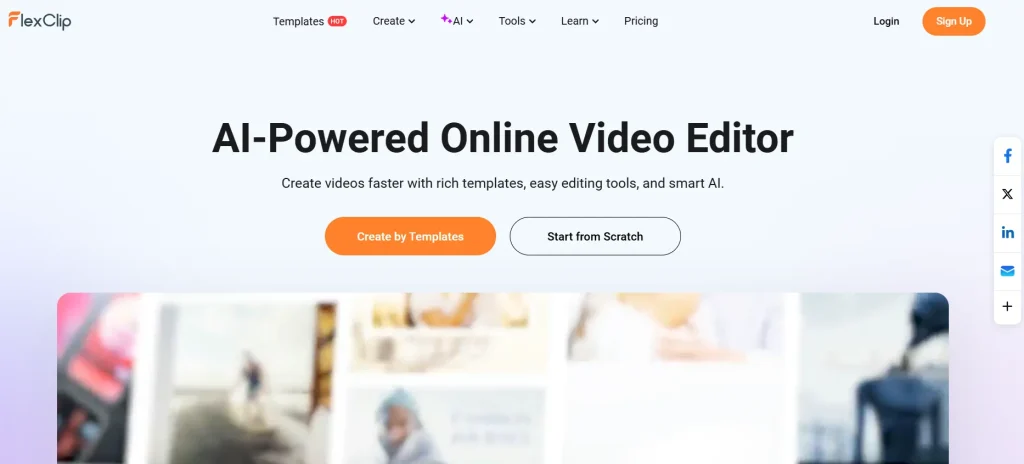
FlexClip is an online video creation platform that combines a browser-based video editor with AI-powered tools. You do not need to install desktop editing software, and the platform is designed for everything from social media content to marketing videos and business projects.
The important part is that FlexClip is not limited to one type of video.
You can edit your own footage, start from templates, use stock media, generate AI images and video clips, create voiceovers, add subtitles, and use AI to turn existing content into a video.
What Is FlexClip Used For?
FlexClip can be useful for:
- YouTube and social media videos
- Marketing videos
- Product videos
- Promotional videos
- Explainer videos
- Presentations
- Short-form content
- Educational videos
- Blog-to-video content
- Product URL-to-video content
Its editor supports common tasks such as trimming, splitting, merging, cropping, adding text, transitions, music, voiceovers, overlays, and changing video formats.
What Are FlexClip’s Main Features?
FlexClip combines AI generation with regular video editing, so you can use AI to speed up the first part of the process and then manually improve the result.
Some useful features include:
- AI text-to-video
- AI image generation
- AI video generation
- AI text-to-speech
- Auto subtitles
- Blog URL to video
- Product URL to video
- PPT/PDF to video
- AI video editing
- Stock videos, photos and music
- Screen and webcam recording
- Templates
- Voiceovers
- Multiple aspect ratios
FlexClip has also added access to several AI video models, including Google Veo 3/3.1 and models such as Kling and Hailuo. The exact models available can change as FlexClip updates its AI tools.
One feature that stands out for marketers is Product URL to Video. You can paste a product page URL, and FlexClip can extract product information and images, create the video, and then send the project into the editor for further changes. That is particularly useful if you create product promotions and do not want to build every scene manually.
Who Should Use FlexClip?
FlexClip makes the most sense if you want one browser-based tool for creating and editing different types of videos.
It can be a good fit for:
- Content creators
- Social media managers
- Small businesses
- Affiliate marketers
- Educators
- Freelancers
- Marketing teams
- People who already have video footage
It is also useful if you do not want to learn a complex professional editor just to make regular marketing or social media content.
What Are FlexClip’s Limitations?
FlexClip is designed to make video creation easier, but it is not intended to replace every professional desktop editor.
you may eventually want a more specialized editor, if your work requires highly advanced editing controls, extremely detailed timeline work, or complex professional production workflows.
User feedback also reflects this trade-off. G2 currently shows FlexClip at 4.6/5 from 68 reviews, with ease of use, speed, and video creation appearing frequently among positive themes. Some reviews also mention limitations around more advanced editing controls.
Want to Try FlexClip?
You can check the current offer, plan details, and available savings before subscribing, if FlexClip’s editor-first workflow matches the type of videos you create. See full FlexClip review and discount for pricing details, or compare it directly in FlexClip vs CapCut.
What Is Vidnoz AI?

Vidnoz AI is an AI video creation platform with a strong focus on AI avatars, presenters, voices, templates, and automated video generation.
Instead of recording yourself on camera, you can create videos using AI presenters and generated voices.
The platform currently offers more than 1,900 AI avatars on paid plans, more than 3,200 templates, and more than 2,600 voices on its current pricing page.
What Is Vidnoz AI Used For?
Vidnoz AI is particularly useful for:
- AI presenter videos
- Training videos
- Educational content
- Product explainers
- Marketing videos
- Sales presentations
- Social media videos
- Multilingual content
- Internal business communication
- Videos where you do not want to appear on camera
The main attraction is simple: you can create a presenter-led video without hiring an actor, setting up a camera, recording audio, and doing the entire production manually.
What Are Vidnoz AI’s Main Features?
Vidnoz has built a large set of AI video tools around its avatar workflow. Depending on the plan, current features include:
- 1,900+ AI avatars
- Expressive avatars
- AI voice generation
- Voice cloning
- Video translation
- 3,200+ video templates
- Text-to-video
- AI script generation
- AI video editing
- AI image generation
- Product avatars
- 1080p exports on paid plans
- Team collaboration
- Brand kit
- Video analytics on higher plans
The platform also supports video translation into 140+ languages, making it useful when one video needs to reach audiences in different markets.
Another useful feature is its avatar workflow, including support for two-avatar, conversation-style videos where two presenters appear to interact on screen. Instead of simply placing text over stock footage, you can use an AI presenter to deliver the script. That makes Vidnoz particularly relevant for videos where the person presenting the information is part of the content.
Who Should Use Vidnoz AI?
Vidnoz AI is worth considering if you want to create videos without being on camera.
It can be especially useful for:
- Course creators
- Trainers
- Marketing teams
- Sales teams
- Educators
- Small businesses
- YouTube creators
- Multilingual content teams
- Businesses creating internal training videos
For example, a company could write a training script, select an AI presenter, add its branding, and produce a video without arranging a recording session.
What Are Vidnoz AI’s Limitations?
AI avatars have improved significantly, but they are still not identical to recording a real person.
The result can depend on the selected avatar, voice, script, language, and delivery style. Some users may also want more control over the final video than an automated avatar workflow provides.
The review data reflects some of this. G2 currently lists Vidnoz AI at 4.9/5 from 16 reviews, but that is a much smaller review sample than FlexClip’s 68 reviews. Some recent reviewers praise its ease of use and range of tools, while others mention limitations with avatars or voices.
That does not mean the smaller review sample makes the product better or worse. It simply means there is less G2 review history to examine.
Want to Try Vidnoz AI?
you can check the current pricing and discount, If your main goal is creating AI avatar or presenter videos.
FlexClip vs Vidnoz AI Pricing
Pricing is one area where you need to look beyond the headline number.
Both platforms have free options, but their paid plans are structured around different types of usage.
FlexClip Pricing
G2 currently lists FlexClip’s Free plan at $0, Plus at $19.99/month, and Business at $29.99/month. FlexClip’s own documentation confirms that Plus and Business are its main video editor plans, with differences in AI credits, stock resources, storage, and export capabilities.
FlexClip’s official documentation also notes that it has separate AI credit plans. This matters because buying AI credits alone is not the same as buying a full Video Editor plan.
Vidnoz AI Pricing
Vidnoz’s official pricing page currently uses a credit-based system, with Free, Starter, Business, and Enterprise options. Paid plans include more video minutes, avatars, voices, templates, export quality, and additional business features.
For a third-party pricing reference, G2 currently lists:
| Plan | Price | Video allowance |
| Free | $0 | 2 video minutes/day |
| Starter | $13.50/month | 10 video minutes/month |
| Business | $56.99/month | 30 video minutes/month |
| Enterprise | Custom | Custom |
G2 notes that its pricing information was supplied by the vendor or taken from publicly available pricing material, so you should check the vendor’s pricing page before purchasing.
Important: AI video pricing can change, and both platforms offer different plan structures and promotions. Treat the figures above as a current reference rather than a permanent price guarantee.
Why Do the Prices Differ?
The two platforms package their value differently.
FlexClip’s paid editor plans focus heavily on editing resources, stock media, storage, export quality, and AI credits.
Vidnoz’s paid plans put more weight on AI video minutes, avatars, voices, translation, voice cloning, branding, and business video features.
So comparing the two purely by monthly price can be misleading. The better question is: what type of video production are you paying for?
FlexClip vs Vidnoz AI: Feature Comparison
| Feature | FlexClip | Vidnoz AI |
| Video editing | Strong | Available |
| AI video generation | Yes | Yes |
| AI avatars | Yes | Major focus |
| AI voices | Yes | Major focus |
| Voice cloning | Yes | Yes |
| Templates | Yes | Yes |
| Product videos | Strong workflow | Available |
| Product URL to video | Yes | Product-focused AI tools |
| Blog to video | Yes | AI video generation |
| Video translation | 140+ languages for supported workflows | 140+ languages |
| Existing footage | Strong fit | Supported |
| AI presenter workflow | Available | Strong fit |
| Social media videos | Strong fit | Strong fit |
| Team/business features | Yes | Yes |
The important thing is not to count checkmarks. A feature can exist on both platforms but work differently. Here are the situations where that difference matters.
Which Is Better for Video Editing?
FlexClip is the more editor-focused choice.
Its workflow is built around editing video clips, adding text, transitions, music, voiceovers, effects, stock content, and other elements. You can also take AI-generated content and continue working on it inside the editor.
That makes it useful when the video is not finished after the AI generates the first draft. For example: Generate → edit → add branding → adjust scenes → add subtitles → export
This workflow is important if you already have footage and want to shape it into a finished video. Vidnoz also includes editing tools, but its strongest identity is still around AI-generated videos, avatars, voices, and automated creation.
Which Is Better for AI Avatar Videos?
Vidnoz AI is more directly focused on this use case.
Its platform is built around a large avatar library, AI voices, lip-sync, presenter videos, and custom avatar options. Its current plans include thousands of voices and more than 1,900 AI avatars on paid plans.
FlexClip also offers AI avatar tools, so it is not accurate to say that FlexClip cannot create avatar videos. The difference is the role avatars play in the overall workflow. With Vidnoz, the avatar can be the center of the video. With FlexClip, an avatar is one of several ways you can build a video.
Which Is Better for Multilingual Videos?
Both platforms support multilingual video workflows.
FlexClip’s product video tools advertise translation into 140+ languages, along with hundreds of voice and skin-tone options.
Vidnoz also supports video translation into 140+ languages, including AI dubbing and lip-sync features.
Vidnoz’s avatar and dubbing workflow can be particularly relevant if you are translating a presenter-led video. FlexClip’s editor can be useful, if you are translating a broader product or marketing video and also want to edit scenes, visuals, and branding.
Which Is Faster for Creating a Social Media Video?
There is no universal winner here because the starting point matters.
Vidnoz can take you directly toward that type of video, if you have a script and want an AI presenter to read it. FlexClip offers several workflows for doing that, if you have photos, video clips, a blog post, product information, or other assets and want to turn them into a social video.
FlexClip can also generate videos from URLs and other source material, then let you continue editing the result.
So ask yourself: Do I need a presenter, or do I need an editor? That question often makes the choice easier.
Which Is Better for Two-Presenter Videos?
Vidnoz is the more natural fit when the conversation itself is part of the video.
Its avatar-focused workflow, including its two-avatar conversation format, makes it suitable for presenter-led content and multi-person dialogue formats. This can work well for:
- Interviews
- Training conversations
- Customer support scenarios
- Educational dialogue
- Product explanations
- Two-person presentations
FlexClip can create these types of videos through normal editing, but it does not make the avatar conversation the central workflow in the same way.
Which Is Better for Product and Marketing Videos?
This depends on how you want to present the product.
FlexClip has a particularly useful workflow here because its Product URL to Video feature can extract information and images from a product page, generate a promotional video, and then let you edit the result. That can be useful for:
- Product demos
- Affiliate videos
- E-commerce content
- Promotional clips
- Social media ads
- Product explainers
Vidnoz can also create product demos and marketing videos, especially when you want an AI presenter explaining the product.
So: Product visuals + editing → FlexClip. Product explanation + AI presenter → Vidnoz AI.
What Do Real Users Say About FlexClip and Vidnoz AI?
Ratings can provide useful context, but they should not be treated as the entire story. Review sample size, review dates, user type, and the actual comments all matter.
What Users Say About FlexClip
G2 currently lists FlexClip at 4.6/5 from 68 reviews. Its review summaries frequently mention ease of use, intuitive controls, speed, and video creation. Some reviewers also mention limitations around advanced editing and customization.
Capterra currently lists FlexClip at 4.5/5 from 133 reviews, with ease of use rated 4.7/5. One verified reviewer described it as useful for personal projects, marketing videos, and social media content while noting that it does not replace full-scale editing tools for complex productions.
That feedback fits the product’s positioning. FlexClip is designed to make video creation accessible without requiring the user to learn a complicated professional editor.
What Users Say About Vidnoz AI
Vidnoz AI currently has a 4.9/5 rating from 16 G2 reviews. Users commonly mention its range of tools and ease of creating videos.
However, the review sample is much smaller than FlexClip’s.
Recent G2 feedback includes praise for the number of tools available in one platform, while some users mention that avatars can still be challenging to work with and that voice quality may vary.
This is why simply looking at 4.9 versus 4.6 would not tell you which platform fits your needs. The products are also aimed at somewhat different workflows.
FlexClip vs Vidnoz AI: Which Should You Use?
There is no single choice that makes sense for every video creator. Your best option depends on the type of work you expect to do most often.
Choose FlexClip If…
FlexClip is worth considering if you:
- Want an online video editor with AI tools
- Edit your own footage
- Create social media content
- Make product or marketing videos
- Want templates and stock media
- Turn blog posts or URLs into videos
- Want to edit AI-generated videos afterward
- Need flexibility across different video formats
- Prefer more control over the final edit
It is especially interesting for marketers and content creators who do not want separate tools for every stage of video production.
Choose Vidnoz AI If…
Vidnoz AI is worth considering if you:
- Want AI avatar videos
- Need a digital presenter
- Do not want to appear on camera
- Create training or educational videos
- Need multilingual presenter content
- Want AI voice and avatar tools in one platform
- Create sales or marketing presentations
- Need voice cloning or video translation
- Want to generate presenter-led content quickly
Vidnoz’s workflow can make more sense, If the person delivering the message is an important part of the video.
Need Both?
You do not necessarily have to treat these tools as direct replacements for each other. There are workflows where both can make sense.
For example, a marketing team could create a presenter segment with Vidnoz AI, then use an editor such as FlexClip to combine that presenter with product screenshots, screen recordings, captions, music, graphics, and other footage.
Another workflow could be: Vidnoz AI → AI presenter and voice → FlexClip → editing, branding and final production
Whether that makes sense depends on your workflow and how much editing you need after generating the initial video. For a broader set of options beyond these two tools, see our roundup of the 7 Best AI Video Editing Software Tools in 2026.
Frequently Asked Questions
Final Verdict
FlexClip and Vidnoz AI overlap, but they are not identical tools.
FlexClip makes more sense when your main need is creating and editing different types of videos. Its combination of templates, stock media, AI generation, URL-to-video tools, and browser-based editing gives you more flexibility across different content workflows.
Vidnoz AI makes more sense when your main need is AI-generated presenter content. Its large avatar and voice libraries, translation tools, voice cloning, and presenter-focused workflow make it particularly relevant for businesses, educators, marketers, and creators who want to produce videos without appearing on camera.
The easiest way to decide is to ask one question: do you need an AI-powered video editor, or do you mainly need an AI presenter?
Check the FlexClip discount and current offer before you subscribe, if editing is your priority. check the Vidnoz AI discount and current offer instead, if an AI presenter fits your workflow better.