In the past, video making was done using cameras, costly editing software, and hours of manual production. Nowadays, AI video generators have transformed that process entirely.
These applications are capable of converting ordinary text messages, posts on blogs, or even pictures into a quality video within minutes. Consequently, the creators, marketers, and businesses are creating YouTube videos, social media content, and marketing advertisements at a rate never witnessed before.
The market for AI technologies is vast, amounting to around 244 billion U.S. dollars in 2025, and is expected to grow well beyond that to over 800 billion U.S. dollars by 2030.
A new automated content creation system accounts for much of this growth, including AI video platforms that enable companies to expand video production without needing large teams or costly equipment.
But not every AI video generator has such capabilities. Others focus on creating video based text effects, enabling users to create film scenes from written instructions.
The others revolve around AI avatars and speaking presenters, which are common in business training, product instructions, and multilingual promotional campaigns. In the meantime, generative video technology is being stretched to its limits by creative platforms like Runway and Synthesia.
We have selected and compared 15 AI video generators that are the best in 2026 in this guide.
AI Video Generators Compared (Quick Ranking)
Tool | Best For | Video Type | Max Resolution | Free Plan | Pricing |
Adobe Firefly | Creative & image to video | Text/Image Motion | Up to 4K (with CC) | Yes (limited) | $9.99/mo + CC |
Synthesia | AI avatars & training | Talking videos | 1080p | Yes (limited) | $18/mo |
HeyGen | Marketing & multilingual | Avatar + text‑video | 1080p/4K | Yes (limited) | $29/mo+ |
InVideo AI | Social & script to video | Automated clips | 1080p+ | Yes (limited) | $35/mo |
FlexClip | Beginners & social media creators | Text/Image/Template | Up to 4K | Yes (watermarked) | $11.99/mo |
Descript | AI editing & transcription | Editing focused | Up to 4K | Yes (limited) | $16/mo |
Wondershare Filmora | Editing with AI features | Edited footage | Up to 4K | Yes (trial) | $9.9/mo |
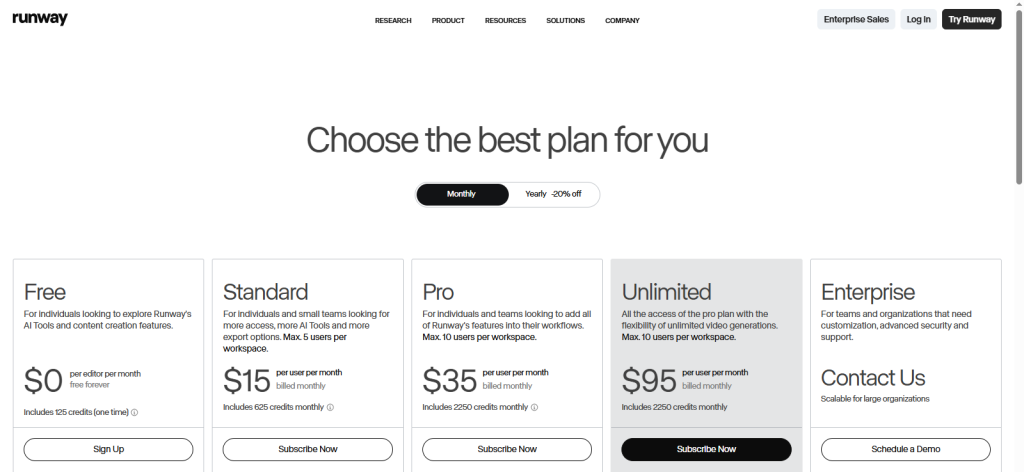
Runway | Cinematic & creative AI | Text video + edit | Up to 4K | Yes (credits) | $15/mo |
Luma Dream Machine | Photo video motion | Image‑animated clips | Up to 4K | Yes (credits) | $30/mo |
Vyond | Animated explainer videos | Animated content | 1080p | No | $99/mo |
Pika (Pika Labs) | Short creative videos | Text prompts | 1080p | Yes (limited) | $10/mo |
Capsule | Team collaboration | Multi user video | 1080p | No | Paid |
Peech | Repurposing a long video | Automated edits | 1080p | Yes (trial) | Paid |
Revid.ai | Shorts & clips automation | TikTok/Shorts | 1080p | Yes (trial) | $39/mo |
Kling AI | Advanced text to video | Generative video | 1080p/4K | Yes (credits) | $9.7/mo |
15 Best AI Video Generators (In-Depth Reviews)
Below are the top AI video generators tested for 2026.
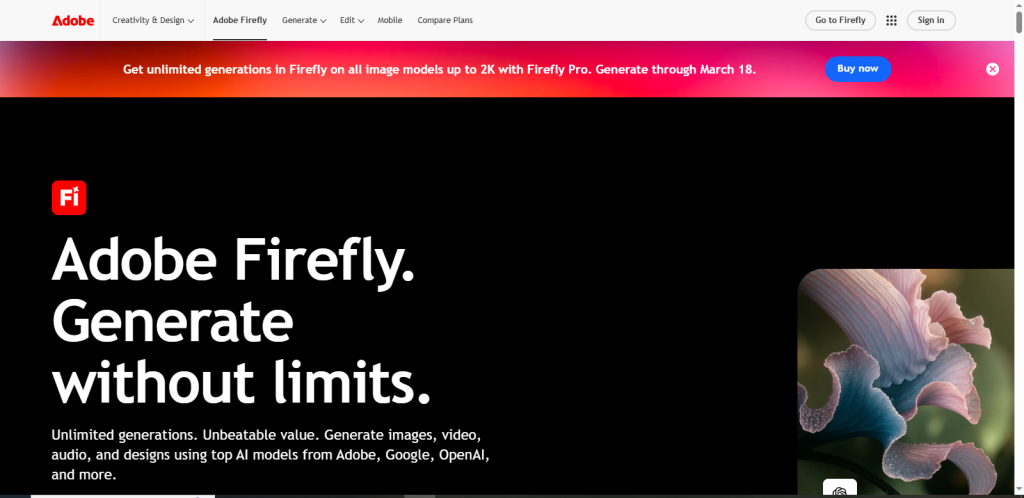
Adobe Firefly: AI Video & Creative Content Generator

Adobe Firefly is Adobe’s flagship generative AI platform that allows creators to generate high quality video content from text prompts or static images. Its AI powered video tools integrate seamlessly with Adobe Creative Cloud, giving designers and marketers access to cinematic video creation without the traditional production costs.Key Features:
- Text to video and image-to-video capabilities
- Motion animation for static images
- Integration with Photoshop, After Effects, and Premiere Pro
How It Works / Workflow:
Users provide a text prompt or image, select a style or template, and Firefly generates a motion video. Advanced tools allow users to adjust lighting, motion, and effects to achieve a cinematic look.
Pros & Cons:
- High quality cinematic output
- Seamless Adobe integration
- Powerful customization options
Best Use Cases:
- Product demos
- Animated social media posts
- Creative marketing videos
- Storyboarding and concept visualization
Pricing:
Free tier available with limited capabilities. Paid plan starts at $9.99/month, with Creative Cloud integration for more advanced features.
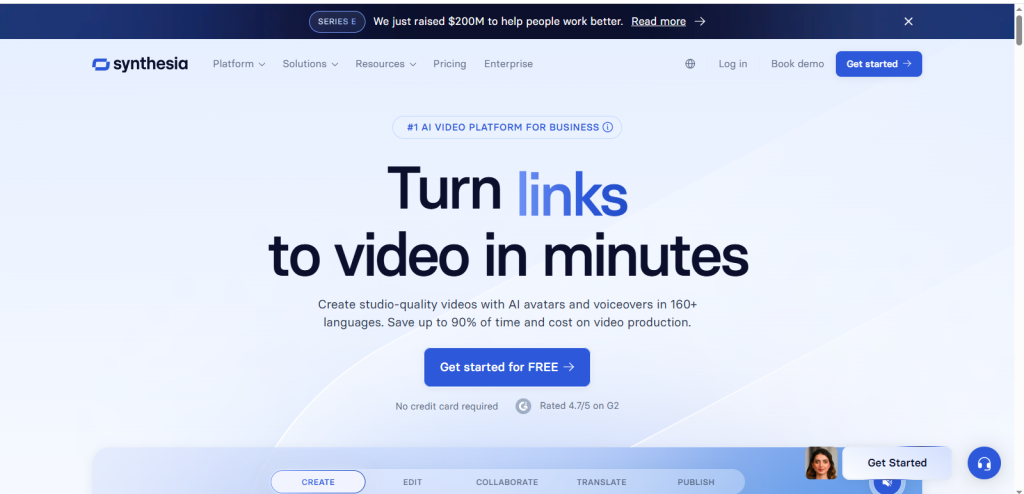
Synthesia: Best for Avatar & Training Videos

Synthesia is an AI video platform specializing in avatar based talking videos. Trusted by enterprises, it allows users to create multilingual training, marketing, and explainer videos without cameras or actors.Key Features:
- AI avatars with realistic lip-sync
- Supports 160+ languages
- Template library for training and marketing
- Voice cloning and background customization
How It Works / Workflow:
Users select an AI avatar, input a script, and choose voice, background, and style. Synthesia’s AI generates the full video with natural lip movements and synchronized audio. Editing is as simple as updating the script and regenerating the video.
Pros & Cons:
- Supports multiple languages and avatars
- Quick video generation
- Reduces production costs
- Limited customization compared to full animation tools
Best Use Cases:
- Corporate training and onboarding
- Product demos and tutorials
- Marketing and social media campaigns
Pricing:
Free trial available. Paid plans start at $18/month, with enterprise plans for large teams
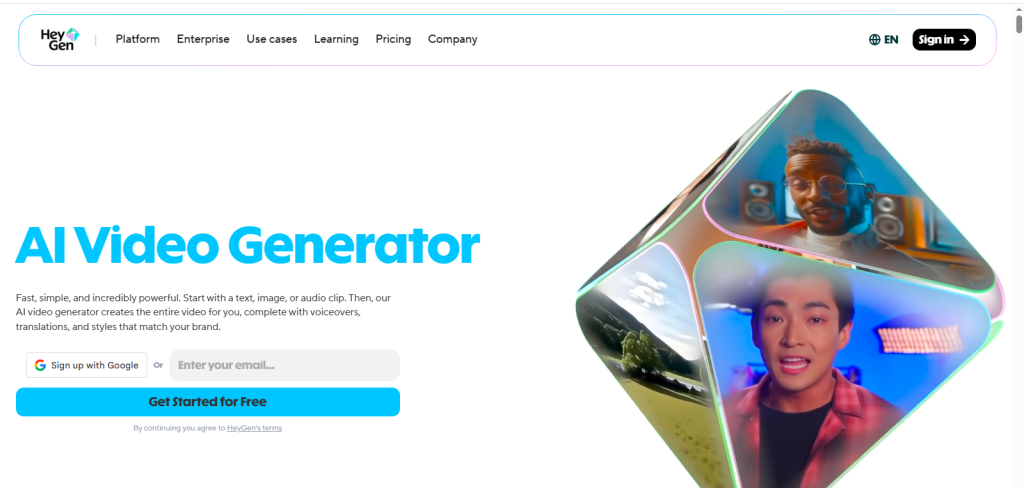
HeyGen: Marketing & Multilingual AI Videos

HeyGen is a versatile AI video generator designed for multilingual marketing and social content creation. It allows users to generate videos with AI avatars, automated voiceovers, and motion effects quickly.Key Features:
- Text to video conversion
- AI avatar selection and customization
- Multilingual voiceovers (175+ languages)
How It Works / Workflow:
Users input a script or prompt, choose an avatar and voice, and select a template or style. HeyGen’s AI generates the video automatically, with options for fine-tuning timing, expressions, and subtitles.
Pros & Cons:
- Supports over 175 languages
- Easy to use interface for beginners
- Good for marketing and social content
- The free plan has limited export minutes.
Best Use Cases:
- Social media content
- Marketing campaigns for global audiences
- Explainer and product videos
Pricing:
Free plan (limited), Creator plan $29/month, Pro $99/month with 4K and unlimited video minutes.
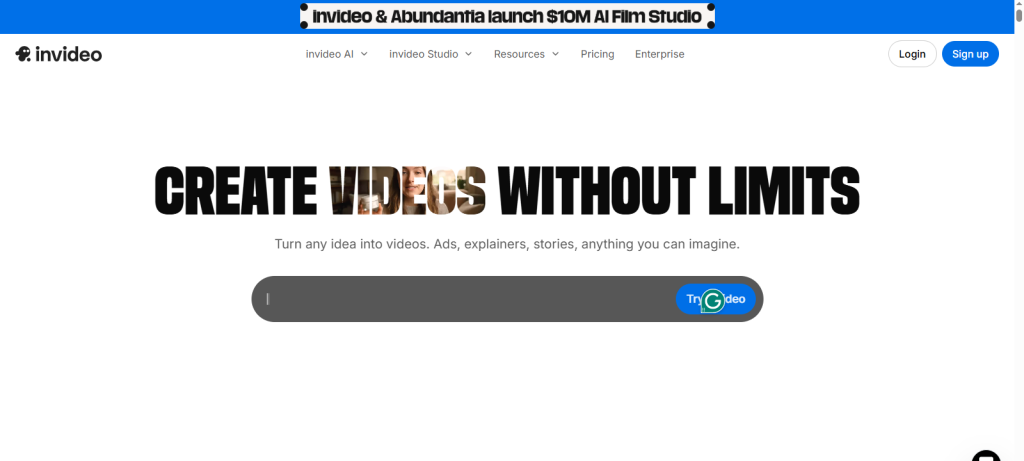
InVideo AI: Script to Video Automation

InVideo AI turns scripts, blog posts, or text prompts into fully produced videos, complete with AI narration, stock visuals, and music. It’s widely used by YouTubers, social media managers, and marketers.Key Features:
- Automated script for video conversion
- Extensive template library
- AI generated voiceovers and captions.
How It Works / Workflow:
Users input their script, choose a template, and let InVideo AI generate the video automatically. Optional editing allows for fine-tuning visuals, transitions, and timing.
Pros & Cons:
- Quick production for social and YouTube
- Beginner friendly
- Affordable subscription
- Less control over cinematic visuals
Best Use Cases:
- YouTube short form content
- Social media posts
- Marketing and promo videos
Pricing:
Free plan with watermark. Paid plans are $35/month, depending on export minutes and features.
FlexClip: Beginner-Friendly AI Video Maker

FlexClip is a browser-based AI video maker and editor developed by PearlMountain Limited. It lets users create professional-looking videos using 6,000+ templates, 4M+ stock media assets, and a suite of AI tools including text-to-video generation, auto subtitles, and AI script writing. It requires no software installation and works entirely in the browser.
Key Features:
The platform has integrated AI models from providers like Hailuo, Kling, and Google Veo 3, giving users access to increasingly sophisticated generation capabilities. Other confirmed features include:
- AI text-to-video and image-to-video generation
- AI Text-to-Speech, AI Subtitle Generator, AI Background Remover, and AI Translator for multi-language video creation
- AI Recreate and Auto Edit, which match uploaded footage to templates and assemble raw clips into polished videos with transitions, and captions
- Real-time team collaboration and cloud storage
How It Works / Workflow:
Users choose a template or enter a text prompt, and FlexClip generates a video draft with scenes, stock media, and audio. AI tools can then be applied for subtitles, voiceovers, or translation. The final video can be exported and shared directly to social platforms.
Pros & Cons:
- Extremely beginner-friendly with no learning curve
- Comprehensive AI toolkit covering generation, editing, and audio
- Fully browser-based, no installation needed
- Free plan exports at 720p with a watermark and limits videos to 10 minutes
- Single video track limits use for advanced editors
Best Use Cases:
- Social media content for TikTok, Instagram, and YouTube
- Marketing and promotional videos
- Educational and e-learning content
- Small business product demos
Pricing:
The Plus plan is $11.99/month (billed annually), removing the watermark and unlocking 1080p exports. The Business plan is $19.99/month (billed annually) and adds unlimited stock media and higher AI credit allocation. A separate AI credit top-up plan starts at $9.90 for 300 credits. A free plan with watermarked 720p exports is also available
Descript: AI Video Editing & Transcription

Descript is an AI powered video and audio editor designed to make editing as simple as editing a text document. It’s ideal for podcasters, YouTubers, and content creators who want to streamline editing, captioning, and narration processes.Key Features:
- Automatic transcription and captions
- Filler word removal and audio cleaning
- Overdub voice cloning for script corrections
- Video editing through text based workflow
How It Works / Workflow:
Upload your footage or audio, and Descript automatically transcribes it. You can then edit the text to edit the video, remove unwanted pauses, and adjust audio. Overdub lets you fix mistakes without re-recording.
Pros & Cons:
- Simplifies video editing for beginners
- Saves hours on transcription and captioning
- Overdub improves efficiency
- Requires internet for cloud based features
Best Use Cases:
- Podcast video production
- Educational tutorials
- YouTube content editing
Pricing:
Freemium plan available. Paid plans range from $16/month, depending on features.
Wondershare Filmora: AI Augmented Video Editor

Wondershare Filmora is a beginner friendly video editing software enhanced with AI tools for motion tracking, scene detection, and automated subtitle generation. It bridges the gap between simplicity and professional grade output.Key Features:
- AI motion tracking and scene recognition
- Auto subtitles and audio enhancement
- Drag and drop templates.
- Stock footage integration
How It Works / Workflow:
Import footage, select AI tools, and Filmora analyzes your video. You can apply auto trim, transitions, or effects with one click. Subtitles are generated automatically, saving hours of manual editing.
Pros & Cons:
- Easy for beginners
- AI features save time.
- Affordable subscription
- Lacks advanced cinematic AI generation
Best Use Cases:
- Social media content creation
- Marketing videos
- Short-form YouTube clips
Pricing:
Trial available. Annual subscription starts around $9.9/mo.
Runway: Cinematic & Generative Video Tool

Runway is a generative AI video platform offering text to video, image to video, and advanced editing tools. It’s tailored for creative professionals and filmmakers seeking cinematic visuals with minimal production cost.
Key Features:
- Text to video generation
- Motion brushes and director mode
- Background replacement and green-screen AI
- Collaborative video editing
How It Works / Workflow:
Provide a prompt, select a style, and Runway generates video clips. Users can fine-tune visuals, add motion effects, or combine generated content with existing footage.
Pros & Cons:
- Excellent for cinematic effects
- Fast content creation
- Cloud based collaboration
- Requires internet for processing
Best Use Cases:
- Film and ad production
- Creative storytelling
- Concept visualization
Pricing:
Free credits available; paid plans start at $15/month.
Luma Labs (Dream Machine) Photorealistic Motion AI

Luma Dream Machine converts static images into realistic animated video sequences, simulating camera movement, depth, and environmental effects. It’s widely used for product visuals and digital marketing.Key Features:
- Image to video animation
- Cinematic motion effects
- Depth mapping and AI enhanced visuals
- High resolution export
How It Works / Workflow:
Upload an image, choose animation style, and the AI generates a dynamic video. Adjust camera angles, depth, or motion paths to customize output.
Pros & Cons:
- High quality photorealistic output
- Great for product marketing
- Fast generation
- Limited text to video capabilities
Best Use Cases:
- Product advertisements
- Social media marketing clips
- Concept visualization
Pricing:
Free credits available; paid plans start around $30/month.
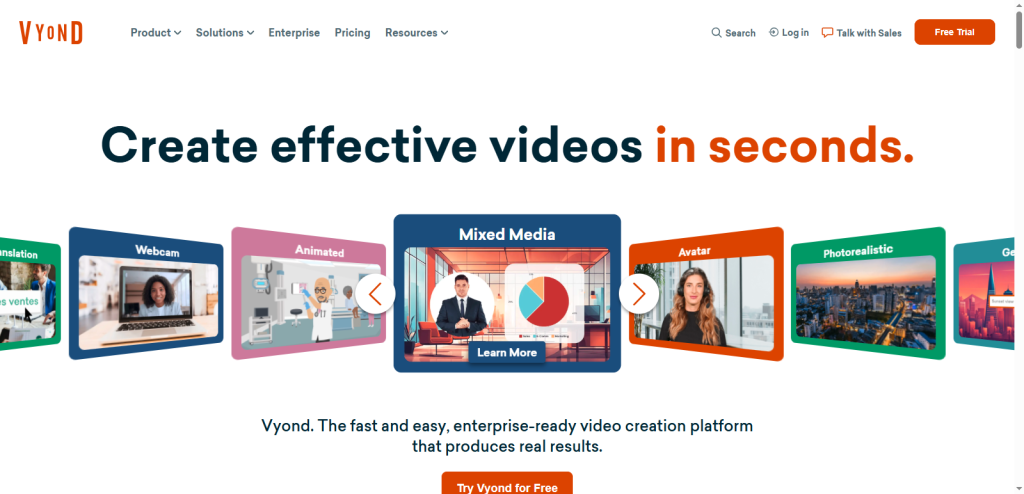
Vyond: Animated Explainer Videos
Vyond is an AI assisted platform for creating animated videos with characters, props, and scenes. It’s widely used for training, marketing, and educational content.Key Features:
- Drag and drop animated templates
- Character customization
- Lip sync and motion effects
- Cloud based editing
How It Works / Workflow:
Select a template, add characters and dialogue, and Vyond animates movements and lip sync automatically. Users can customize props, backgrounds, and transitions.
Pros & Cons:
- Professional animated videos without animators
- Fast and easy workflow
- Ideal for corporate communication
Best Use Cases:
- Corporate training videos
- Marketing explainers
- Educational content for classrooms
Pricing:
No free plan; subscriptions start at $99/month.
Pika (Pika Labs): Quick Creative Clip Generator

Pika Labs is a fast text to video AI tool designed to create short form, visually striking videos. It’s ideal for social media creators and marketers who need quick, creative clips without lengthy editing processes.Key Features:
- Text to video generation with style options
- Quick export for social platforms
- Customizable animation and motion settings
How It Works / Workflow:
Users provide a text prompt describing the video content. Pika AI interprets the prompt, generates the animation, and allows users to adjust motion, style, and timing.
Pros & Cons:
- Extremely fast video generation
- Simple interface for beginners
- Great for social media clips
- Limited cinematic depth compared to Runway or Luma
Best Use Cases:
- TikTok, Instagram, and YouTube Shorts
- Creative marketing clips
- Rapid content prototyping
Pricing:
Free plan available with limited exports. Paid plans start at $10/month for longer clips and advanced features.
Capsule: Team Focused AI Video Collaboration

Capsule is an AI video platform built for teams and collaborative workflows, enabling multiple users to create, edit, and manage video content efficiently. It’s ideal for marketing and creative teams producing content at scale.Key Features:
- Multi user collaboration and project management
- AI assisted video generation.
- Asset library for branding and templates
- Commenting and version control
How It Works / Workflow:
Team members upload assets or scripts. Capsule AI generates video drafts, and collaborators can provide feedback, edit, or approve changes in real time. The platform centralizes all media, making large-scale content production easier.
Pros & Cons:
- Great for team projects
- Streamlines collaborative editing
- Keeps branding consistent
- Slightly higher learning curve for new users
Best Use Cases:
- Marketing agencies
- Corporate video production
- Multi-location content teams
Pricing:
No free plan. Paid plans start with enterprise options for large teams.
Peech: Content Repurposing AI
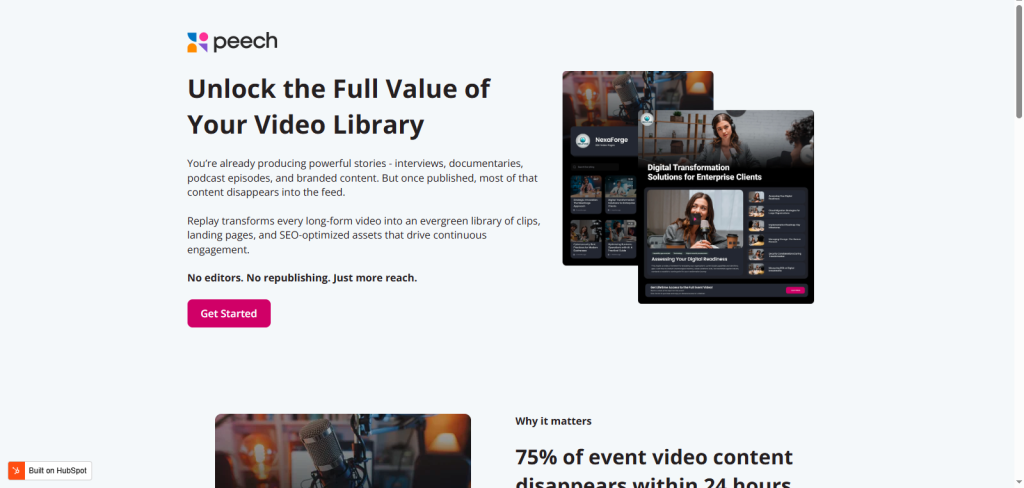
Peech focuses on repurposing long form video content into short clips optimized for social platforms like TikTok, Instagram, and YouTube Shorts. It’s perfect for marketers and educators who want to maximize content reach without extra filming.Key Features:
- Automated short video creation
- Captions, transitions, and AI highlights
- Social media optimization
- Multi-format exports
How It Works / Workflow:
Upload long videos, and Peech AI automatically identifies key moments, adds captions, and formats them for social media. Users can make minor edits or adjust timing before exporting.
Pros & Cons:
- Saves time repurposing content
- Optimized for social media formats
- Easy to use interface
- Limited customization for cinematic effects
- The free plan has restrictions on video minutes.
Best Use Cases:
- Converting webinars into Shorts
- Repurposing YouTube videos for social
- Marketing clip creation
Pricing:
Trial available. Paid plans start with more minutes and export options available.
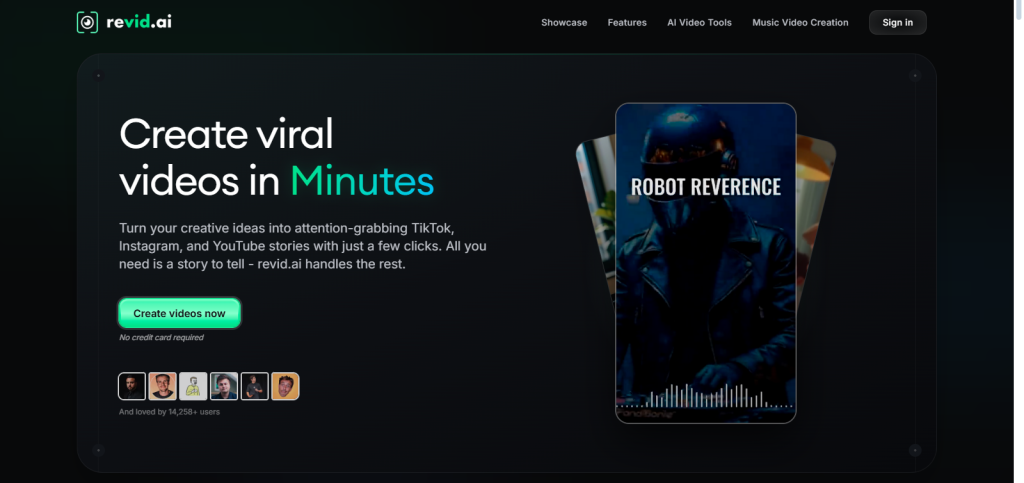
Revid.ai: Automated Shorts Creator

Revid.ai automatically transforms long form content into short, attention grabbing clips. It’s focused on creators who want to maximize reach on TikTok, Instagram Reels, and YouTube Shorts without manual editing.Key Features:
- AI based key moment detection
- Automatic captions and transitions
- Social platform optimized
- Quick export and publishing
How It Works / Workflow:
Upload a long video, and Revid AI identifies important sections. It generates clips with subtitles, music, and timing adjustments, ready to post. Users can preview and fine-tune before exporting.
Pros & Cons:
- Rapid creation of social shorts
- Reduces editing workload
- Optimized for engagement
- Limited creative control for a cinematic project
Best Use Cases:
- Repurposing webinars, seminars, and live streams
- Social media marketing clips
- Influencer content automation
Pricing:
Free trial available. Paid plans start at $39/month, depending on video length and features.
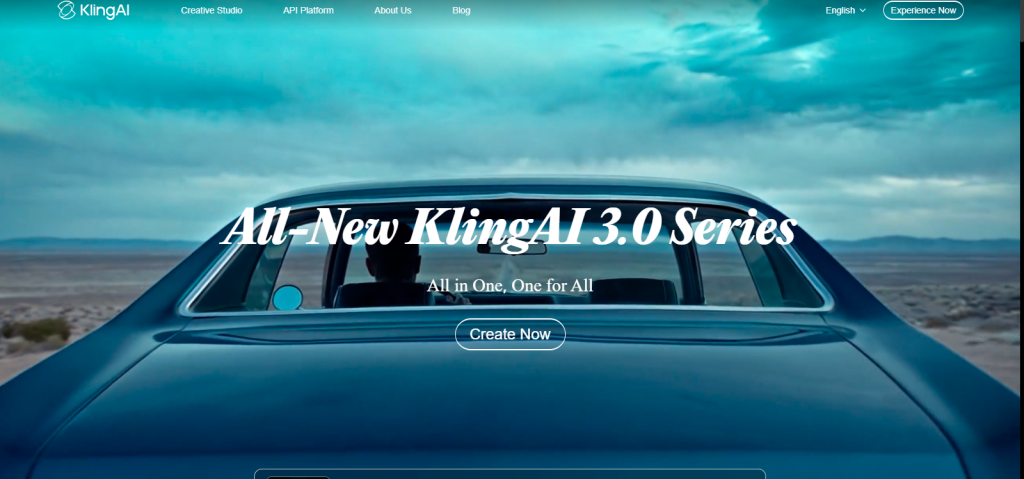
Kling AI: Advanced Text to Video Generator

Kling AI is a powerful text to video AI generator known for producing realistic and cinematic outputs. It’s ideal for creative storytellers and marketers who want full control over motion, camera angles, and visual style.Key Features:
- Text to video generation
- Motion and camera controls
- High resolution exports up to 4K.
- Customizable style presets
How It Works / Workflow:
Users provide a text prompt describing the scene. Kling AI generates video sequences, allowing adjustments to motion, camera angles, and style. Export options include social media formats and cinematic resolutions.
Pros & Cons:
- High quality cinematic output
- Full control over visuals
- Efficient text to video workflow
- Slightly technical for beginners
Best Use Cases:
- Short films and cinematic content
- Marketing campaigns with rich visuals
- Concept videos and storytelling
Pricing:
Free credits available. Paid tiers range from $9.79/month, depending on resolution and minutes.

What Is an AI Video Generator & How It Works
An AI video generator is software that automatically creates videos using artificial intelligence. Instead of filming footage or manually editing clips, users enter a prompt, upload images, or paste a script.
The AI then generates visuals, voiceovers, animations, and transitions. These tools rely on generative AI models and machine learning algorithms to understand prompts and create realistic video scenes.
Text to Video Technology
Text to video tools convert written prompts into video scenes. You describe what you want to see, and the AI generates visuals.
For example, tools like:
- Runway
- Pika
- Kling AI
can generate cinematic clips using simple prompts.
Example prompt:
“Create a drone shot of a futuristic city at sunset.”
Within seconds, the AI produces a short video based on that description.
Image to Video Models
Image to video tools animate still images. These tools use AI video generator models and motion prediction algorithms to simulate camera pans, zoom effects, and environmental changes.
For example:
- turning photos into moving scenes
- Adding camera motion
- generating animated sequences
Platforms like Luma Dream Machine and Adobe Firefly use advanced visual models to create dynamic visuals.
These tools are especially useful for:
- product demos
- digital storytelling
- cinematic content creation
Planning a product demo for social media? See our guide on how to create product demo videos that convert on social media for practical tips on scripting, showing the product, and getting viewers to take action.
AI Avatar & Talking Video Generators
AI avatar generators create digital presenters that speak your script automatically. Instead of filming a real person, users simply paste their script, choose an avatar, and the AI video generator generates a talking video with realistic lip sync and voice narration.
These tools use speech synthesis, facial animation, and machine learning models to make avatars appear natural and expressive. Many platforms also support multiple languages, voice cloning, and customizable presenters.
Instead of filming a presenter, businesses generate a realistic avatar that reads the script with synchronized lip movements.
This technology is widely used for:
- corporate training videos
- product tutorials
- multilingual marketing content
How Generative AI Models Work
Generative AI models power modern AI video generators by learning patterns from vast amounts of video, image, and audio data. These models analyze text prompts, scripts, or images and generate realistic video sequences by predicting frames, movements, and speech.
Advanced algorithms such as diffusion models, neural networks, and transformer based architectures enable the AI to produce visuals, animate avatars, and synthesize voices automatically.
Who Should Use AI Video Generators
AI video generators are ideal for anyone who needs high quality video content quickly and efficiently. They are especially useful for:
- YouTube creators looking to produce faceless or automated videos
- Marketing teams are generating ads, promos, and social media clips.
- Educators and course creators are producing explainer and tutorial videos.
- Startups and SaaS companies needing professional content on a budget
Why Use an AI Video Generator in 2026
AI video generators are revolutionizing the way creators, marketers, and businesses produce video content. They remove traditional technical barriers, reduce dependency on large production teams, and allow creators to publish professional videos faster and more consistently.
In an era where 91% of marketers consider video essential to their strategy (HubSpot), AI tools have become indispensable for businesses looking to scale content efficiently.
Faster Content Creation
Traditional video production, from scripting and filming to editing, can take days or even weeks. AI video generators reduce this timeline to minutes or hours, depending on complexity.
Platforms like InVideo AI or Runway can generate complete videos directly from blog posts, prompts, or scripts in under five minutes.
This speed is a game-changer for businesses, social media managers, and YouTube creators who need to produce multiple videos per week.
For instance, a marketing team can transform a single blog post into a 60 second video optimized for Instagram Reels, TikTok, or YouTube Shorts, saving time while increasing content output.
Want to try this workflow yourself? Our guide on how to turn a blog post into a video with AI shows how to turn written content into a video step by step.
Lower Production Costs
Professional video production often comes with high costs:
- Cameras and lighting equipment
- Editing software subscriptions
- Hiring actors or presenters
- Paying production crews
No Editing Skills Required
Even for experienced creators, video editing can be time-consuming and tedious. AI video generators automate key tasks such as:
- Automatic subtitles and captions
- Voiceover generation in multiple languages
- Scene transitions and visual effects
- Background music and sound design
Platforms like Descript and Pictory allow beginners and professionals alike to produce polished, ready to publish videos without prior editing knowledge.
This levels the playing field, letting anyone, from educators to small business owners, create high-quality video content quickly.
Perfect for YouTube, Ads & Social Media
AI video generators are particularly powerful for platforms where consistent, high volume video content is essential. They are widely used for:
- Faceless YouTube channels producing tutorials, explainer videos, or reviews
- Short-form content for Instagram, TikTok, and Reels
- Online advertising and promotional campaigns
- Training and educational videos
Because AI tools handle scripting, editing, and voiceover automatically, creators can maintain high publishing frequency, ensuring they stay relevant in fast moving digital markets.
This combination of speed, quality, and affordability makes AI video generators a must have tool for anyone serious about scaling video production in 2026.
Types of AI Video Generators
Not all AI video tools work the same way. They are categorized based on how they generate videos, the type of content they specialize in, and the workflow they support.
Understanding these differences is crucial when choosing a tool for YouTube, marketing, social media, or creative storytelling. Below, we break down the main types of AI video generators:
Text to Video AI Generators
Text to video generators transform written prompts, scripts, or descriptions into fully animated video scenes. You simply provide the AI with a text input, and it produces corresponding visuals, motion, and sometimes audio automatically.
Examples include:
- Runway: Known for cinematic and realistic text-to-video generation
- Pika: Short form creative video clips from prompts
- Kling AI: Advanced generative AI producing highly realistic videos
Common use cases:
- Filmmaking and conceptual visualization
- Storyboarding and creative storytelling
- Marketing campaigns that require rapid content generation
Why it matters: Text to video AI generators eliminate the need for filming or animating manually, making it possible to create complex scenes in minutes, even for users with no design or video editing experience.
Image to Video AI Tools
Image to video tools bring static images to life by generating motion, camera movements, and dynamic effects. These platforms analyze uploaded images and create realistic video sequences, simulating camera pans, zooms, and environmental changes.
Examples include:
- Luma Dream Machine: Converts still photos into cinematic clips
- Adobe Firefly: Adds motion, transitions, and visual effects to images
Common use cases:
- Product marketing videos
- Social media posts with dynamic visuals
- Storytelling or animated illustrations
Why it matters: Image-to-video generators allow brands and creators to repurpose existing assets into engaging videos. This saves time and cost while producing content that captures viewers’ attention more effectively than static images alone.
AI Avatar & Talking Head Generators
AI avatar and talking head generators create digital presenters that speak your script, mimicking human gestures and lip movements. These tools are ideal for businesses, educators, and marketers who want professional video content without hiring actors or recording video in a studio.
Examples include:
- Synthesia: Offers realistic AI avatars in 120+ languages
- HeyGen: Customizable avatars with multilingual support
Common use cases:
- Corporate training and internal communications
- Product demos and tutorials
- Marketing campaigns for a global audience
Why it matters: These platforms reduce costs, speed up production, and make multilingual communication seamless. AI avatars also allow companies to maintain brand consistency across videos while scaling content for multiple platforms.
AI Video Editors & Enhancers
Not all AI video tools generate new footage. Some specialize in enhancing and editing existing videos using AI. These platforms automatically streamline editing workflows, making video production faster and more efficient.
Examples include:
- Wondershare Filmora: AI powered editing tools with motion tracking and effects
- Descript: Edit videos as easily as editing text, with automated transcription
Features:
- Auto cutting and trimming clips
- Removing filler words or background noise
- Generating captions and subtitles automatically
Why it matters: AI editors save hours of manual work, enabling creators and marketers to focus on content strategy and messaging rather than technical editing.
They are especially useful for YouTube creators, social media managers, and online course developers.
If you need a tool specifically for editing existing footage, our guide to the 7 Best AI Video Editing Software in 2026 compares options for social content, professional editing, podcasts, and more.
Cinematic AI Video Tools
Cinematic AI video tools generate high quality, realistic scenes for storytelling, concept visualization, or film production.
These platforms use advanced generative AI models to simulate environments, lighting, and camera angles, giving creators a professional cinematic feel without a production crew.
Examples include:
- Runway: Advanced cinematic AI video creation
- Luma Dream Machine: Converts prompts and images into visually stunning cinematic sequences
Common use cases:
- Conceptual storytelling for movies or ads
- Animated short films and cinematic clips
- Creative marketing campaigns with high production value
Why it matters: Cinematic AI video tools push the boundaries of generative video technology, allowing creators to experiment with visuals that were previously only possible with expensive production setups.
Conclusion
The video generators using AI are quickly changing the manner in which videos are made, produced, and shared on the internet. The market size was valued at USD 716.8 million in 2025. Previously, professional development of video content meant using cameras, editing software, production teams, and hours of post-production.
AI video generators enable creators today to create high quality videos with just a few simple text prompts, scripts, or images at very little cost and time. Marketers, educators, and content creators can now create refined videos in minutes, as opposed to wasting hours on the manual editing of a piece of footage.
The latest tools have many possibilities based on the requirements of the creator. Such platforms as Runway or Kling AI are extending the limits of cinematic AI video generation, whereby creators are able to create picturesque scenes and narrative lines due to a simple description.
Conversely, businesses can make marketing videos, product explanations, and corporate training by just letting an avatar speak for them through services like Synthesia and HeyGen, and making it ridiculously simple to record their presenter into a video.
To YouTube creators and social media marketers, automation tools like Pictory and InVideo AI can ease the overall production process, such as scriptwriting and final video export. The tools enable creators to scale their work across various platforms in a short time period.