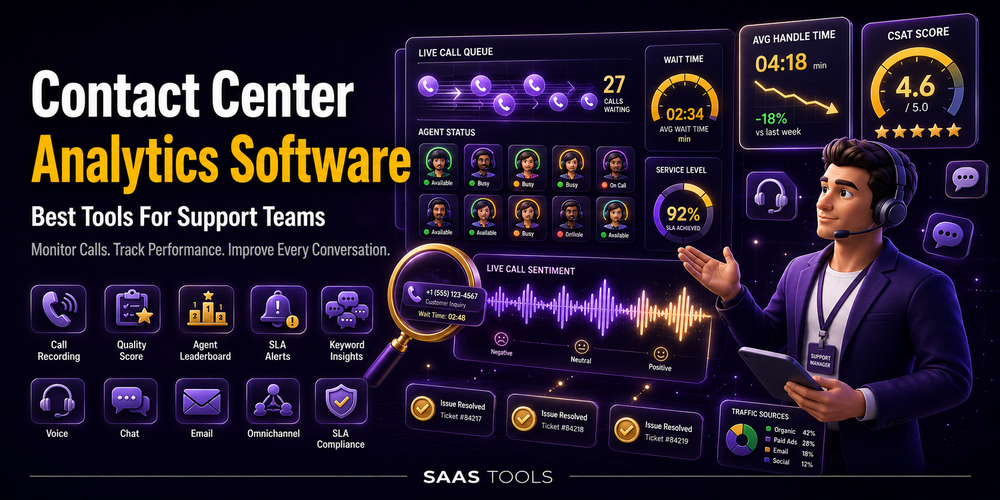
Contact center analytics software helps support teams understand agent performance, customer conversations, service quality, call trends, and operational issues.
Support teams do not only need call logs. They need to see why customers contact support, how agents perform, where queues slow down, which issues repeat, and how service quality changes across channels.
This guide compares contact center analytics tools for support teams that need reporting, dashboards, speech and text analytics, real time monitoring, and customer interaction insights. For agencies reporting client performance, see our guide to agency analytics alternatives. For online store performance, use ecommerce analytics tools.
What Is Contact Center Analytics Software?
Contact center analytics software collects and analyses support interaction data so teams can improve service quality, operations, and agent performance.
A basic call log shows who called and when. A call center analytics dashboard goes further. It can help teams monitor KPIs, review conversations, track sentiment, understand common issues, and spot performance trends.
Useful contact center analytics can include:
- Real time dashboards.
- Historical reporting.
- Call and chat analytics.
- Sentiment analysis.
- Agent performance tracking.
- Quality and compliance signals.
- Customer feedback and survey data.
- Speech and text analytics.
Best Contact Center Analytics Software Comparison
The best contact center analytics software depends on whether your team needs service reporting, conversation intelligence, AI interaction analytics, omnichannel visibility, or real time dashboards.
| Tool | Best fit | Useful for |
|---|---|---|
| Zendesk Analytics | Service reporting and support dashboards | Prebuilt dashboards, custom reports, unified data, real time monitoring, quick reports, and service insights |
| Talkdesk | Customer experience analytics | Real time dashboards, business intelligence, interaction analytics, sentiment, surveys, benchmark data, and Data APIs |
| Genesys Cloud | Conversational intelligence | Speech and text analytics, transcripts, sentiment, topics, agent empathy, and customer interaction insights |
| NiCE Interaction Analytics | AI interaction analytics | Trends, sentiment, root causes, coaching opportunities, compliance signals, dashboards, and omnichannel analytics |
| RingCentral RingCX | Call center analytics dashboard | KPIs, AHT, ASA, prebuilt reports, custom reports, real time dashboards, conversation intelligence, and customer surveys |
Zendesk Analytics
Zendesk Analytics is a good fit for support teams that want service reporting, dashboards, and cross channel visibility inside Zendesk.
Zendesk Analytics is built for service teams that need intuitive and flexible insights. Zendesk says its analytics help teams optimise operations, improve performance, scale support, and prove impact while keeping resolution times low and satisfaction high.
Zendesk includes prebuilt dashboards and dashboard templates. It also supports customised reports, quick reports, secure sharing, exports, unified data across channels and teams, historical reporting, and real time monitoring.
Best for: support teams already using Zendesk that want customer service reporting, operational visibility, and service performance dashboards.
Talkdesk
Talkdesk is a good fit for teams that want customer experience analytics across conversations, dashboards, feedback, and BI workflows.
Talkdesk Interaction and Quality Analytics analyses customer interaction data across voice, chat, and digital. Talkdesk says it can uncover friction points, emotions, and trends that help improve customer and agent journeys.
Talkdesk includes real time dashboards, business intelligence, interaction analytics and sentiment, survey and feedback analytics, benchmark data, and Data APIs. Its real time dashboards help teams compare performance against SLAs and key metrics, while its BI tools support filtering, scheduling, and customisation.
Best for: contact centers that need real time performance visibility, conversation analytics, customer feedback, and business intelligence.
Genesys Cloud
Genesys Cloud is a good fit for support teams that need speech and text analytics with AI driven conversation insights.
Genesys conversational intelligence turns interactions into insight with speech and text analytics. Genesys says native AI can transcribe interactions, analyse sentiment and agent empathy, and identify key topics.
Genesys also supports interaction insights across channels. Its page mentions customer needs, agent behaviours, business trends, transcripts, topic spotting, interaction categories, sentiment analysis, supervisor summaries, and agent empathy analysis.
Best for: support teams that need conversation analytics, speech and text insights, sentiment, topic detection, and agent performance context.
NiCE Interaction Analytics
NiCE Interaction Analytics is a good fit for larger support teams that need AI powered analysis of interaction trends, sentiment, root causes, and coaching opportunities.
NiCE AI Interaction Analytics helps teams uncover the why behind interactions. NiCE says it surfaces trends, sentiment, and root causes so teams can turn data into business impact.
NiCE lists features for understanding sentiment, customer intents, agent soft skill behaviours, repeat contact drivers, churn risks, poor CSAT, coaching opportunities, compliance issues, and productivity drivers. It also mentions role based dashboards, customisable dashboards, visual reporting, real time insights, historical analysis, drill down views, and omnichannel call and chat analytics.
Best for: enterprise support teams that need advanced interaction analytics, quality signals, dashboards, and coaching insights.
RingCentral RingCX
RingCentral RingCX is a good fit for teams that want call center analytics software inside an omnichannel contact center platform.
RingCentral contact center analytics says RingCX includes contact center analytics features built into the platform. It supports visibility into the customer journey, agent performance, and customer conversations.
RingCentral lists contact center reporting for KPIs such as AHT and ASA, over 200 prebuilt reports, custom reports, real time dashboards, conversation intelligence, customer surveys, feedback management, and analytics across customer experience and agent performance.
Best for: teams that need a call center analytics dashboard with KPIs, reports, real time views, conversation intelligence, and survey feedback.
Which Contact Center Analytics Tool Should You Choose?
Choose the contact center analytics software that matches your support workflow and reporting depth.
| If your main problem is | Shortlist first |
| Service reporting inside Zendesk | Zendesk Analytics |
| Customer experience analytics and BI | Talkdesk |
| Speech and text analytics | Genesys Cloud |
| AI interaction analytics and coaching signals | NiCE Interaction Analytics |
| Call center KPIs and real time dashboards | RingCentral RingCX |
A smaller support team may need simple dashboards, service reports, and real time views. A growing contact center may need conversation intelligence, surveys, and performance tracking. A larger operation may need AI interaction analytics, compliance signals, quality management, and omnichannel reporting.
FAQ’s
Editorial Note
This article is written with care, but some details may change or contain unintentional mistakes. If you find anything outdated or incorrect, please contact us so we can review and correct it.