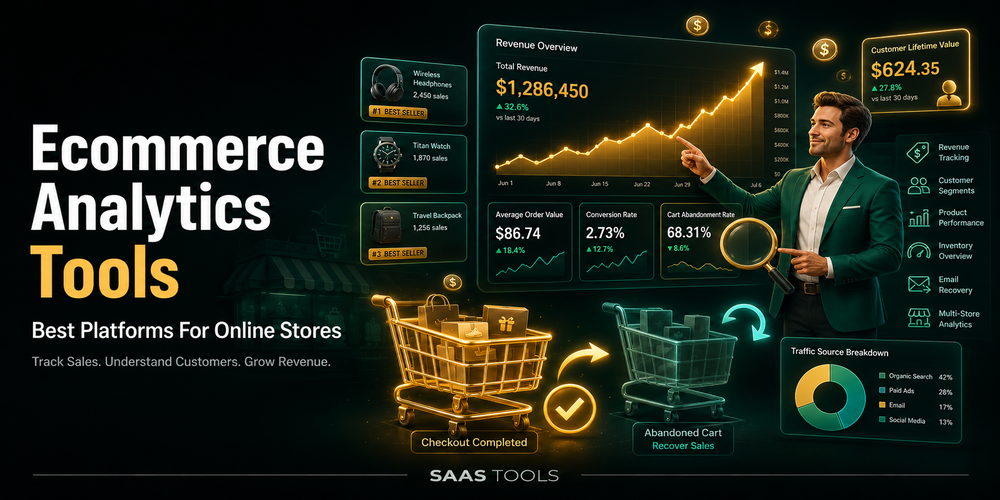
Ecommerce analytics tools help online stores understand sales, customer behaviour, product performance, marketing results, conversion activity, and profit signals.
Online stores need more than traffic reports. A store owner needs to know which products sell, which channels drive revenue, where shoppers drop off, how repeat customers behave, and whether growth is profitable after costs and ad spend.
This guide focuses on ecommerce analytics software for online stores. Unlike general product analytics tools, ecommerce analytics tools focus more on store revenue, checkout behaviour, product performance, attribution, customer value, and profit reporting.
What Are Ecommerce Analytics Tools?
Ecommerce analytics tools collect and organise store data so teams can understand sales, customers, products, channels, and conversion activity.
A basic analytics setup can show visits and traffic sources. Ecommerce analytics goes deeper into the store journey. It can help teams review product views, cart activity, checkout behaviour, purchases, refunds, repeat purchases, customer value, product performance, and channel performance.
A useful ecommerce analytics dashboard should help answer questions like:
- Which products are being viewed or purchased?
- Which channels are driving revenue?
- Where do shoppers drop off before purchase?
- Which campaigns are connected with sales?
- Which customer segments are worth more over time?
- Which costs affect profit?
Best Ecommerce Analytics Tools Comparison
The best ecommerce analytics tools depend on whether your store needs ecommerce event tracking, native store reporting, attribution, business intelligence, commerce KPIs, or profit analytics.
| Tool | Best fit | Useful for |
| Google Analytics 4 | Ecommerce event tracking | Purchases, refunds, cart events, checkout events, BigQuery, and Data API access |
| Shopify Analytics | Native Shopify reporting | Sales, sessions, fulfilment metrics, behaviour reports, and conversion rate breakdown |
| Triple Whale | Attribution and channel reporting | Channel performance, attribution models, dashboards, SQL editor, and customer segments |
| Polar Analytics | Ecommerce business intelligence | Dashboard library, custom reporting, attribution, alerts, scheduled reports, and ecommerce semantic data |
| Glew | Commerce analytics | KPIs, customer segments, LTV, net profit, top products, custom reports, and integrations |
| Lifetimely | Profit and customer value | Daily P&L, CAC, LTV, customer behaviour, dashboards, product insights, and forecasting |
Google Analytics 4
Google Analytics 4 is a good fit when an online store needs ecommerce event tracking across a website, app, or Google reporting workflow.
Google Analytics ecommerce documentation says ecommerce measurement helps users understand how people interact with the products and services they sell. GA4 ecommerce tracking can include events such as add to cart, begin checkout, purchase, refund, view item, view cart, and view promotion.
GA4 ecommerce events need to be added to a website, app, or Google Tag Manager container because they are not sent automatically. Ecommerce data can appear in Analytics reports and can also be used with Explorations, BigQuery, and the Data API.
Best for: stores that need event level ecommerce measurement and Google reporting workflows.
Shopify Analytics
Shopify Analytics is a good fit for Shopify stores that want native sales, sessions, fulfilment, behaviour, and conversion reporting inside Shopify admin.
Shopify says its Analytics page displays key sales, sessions, and fulfilment metrics for a store. Shopify also says the dashboard can monitor performance across sales channels and compare data across time periods.
Shopify behaviour reports help store owners understand customer shopping behaviour. Shopify’s conversion rate breakdown report visualises the path visitors take through the store and checkout, including sessions with cart additions, sessions that reached checkout, and sessions that completed checkout.
Best for: Shopify merchants that want a built in ecommerce analytics dashboard before adding a specialist reporting tool.
Triple Whale
Triple Whale is a good fit for ecommerce brands that need channel performance tracking, attribution, dashboards, and customer segments.
Triple Whale lists a Free plan for essential tools to track metrics in real time. Its Free plan includes channel performance, first and last click attribution models, standard shop performance and logistics, a standard post purchase survey, and integrations with ecommerce platforms, marketing channels, and Amazon.
Triple Whale’s Foundation package adds multi touch attribution, no code dashboards, customer segments, custom metrics, and a SQL editor. Automate adds automation features, while Enterprise adds broader measurement, multi brand reporting, and enterprise security controls.
Best for: ecommerce brands that want attribution, channel reporting, dashboards, and customer segments in one workflow.
Polar Analytics
Polar Analytics is a good fit for ecommerce teams that want business intelligence, custom reporting, attribution, alerts, and ecommerce data structure.
Polar Analytics lists a Polar Data Platform with a dedicated Snowflake database, ecommerce semantic layer, first party Pixel, custom roles, permissions, unlimited users, and unlimited historical data.
Its Business Intelligence product includes a dashboard library, custom reporting, multi touch attribution, Ask Polar AI, goal tracking, alerts, and scheduled reports. Polar also lists ecommerce metrics, connectors, custom metrics, and data refresh options through its Headless MCP product.
Best for: ecommerce teams that need business intelligence, structured metrics, reports, alerts, and data workflows.
Glew
Glew is a good fit for ecommerce teams that want commerce analytics, customer segmentation, KPIs, data pipelines, and custom reporting.
Glew Pro is positioned for teams wanting advanced data insights and reporting. It lists features such as 250 plus KPIs, Klaviyo and Mailchimp sync, 40 top integrations, Daily Email Snapshot, customer segments, LTV, net profit, top customers, top products, and custom segments.
Glew Plus is positioned for teams needing a supported data pipeline, ELT, data warehouse platform, and custom reporting. It includes managed ETL, data warehouse, Looker based reporting, more than 150 integrations, and custom pricing.
Best for: ecommerce teams that need KPIs, customer segments, LTV, net profit, product reporting, and custom reporting options.
Lifetimely
Lifetimely is a good fit for Shopify and Amazon stores that want profit, CAC, LTV, attribution, customer behaviour, and custom dashboards.
Lifetimely by Amp says it helps users understand true profit across a business, from ads to repeat purchases. Its product page covers profit and loss, CAC and LTV, customer journeys, attribution, and custom dashboards.
Lifetimely also covers customer behaviour, repeat behaviour, cohorts, buying patterns, product performance insights, and sales forecasting. Its pricing model is based on monthly orders, with a free level for smaller order volume and paid plans for higher order volume.
Best for: Shopify or Amazon stores focused on profit, customer value, attribution, and forecasting.
Which Ecommerce Analytics Tool Should You Choose?
Choose the ecommerce analytics tool that matches your store platform, reporting depth, and main business question.
| If your main problem is | Shortlist first |
| Ecommerce events and Google reporting | Google Analytics 4 |
| Native Shopify analytics | Shopify Analytics |
| Attribution, channel reporting, dashboards, and customer segments | Triple Whale |
| Business intelligence, custom reporting, alerts, and ecommerce metrics | Polar Analytics |
| Commerce KPIs, LTV, net profit, and data pipeline options | Glew |
| Profit, CAC, LTV, customer behaviour, and forecasting | Lifetimely |
A small Shopify store may start with Shopify Analytics and GA4 ecommerce events. A growing ecommerce brand may need Triple Whale or Lifetimely for attribution, profit, LTV, customer behaviour, and product performance. A larger ecommerce team may need Polar Analytics or Glew when custom reporting, data structure, or cross team reporting becomes important.
FAQ’s
Editorial Note
This article is written with care, but some details may change or contain unintentional mistakes. If you find anything outdated or incorrect, please contact us so we can review and correct it.