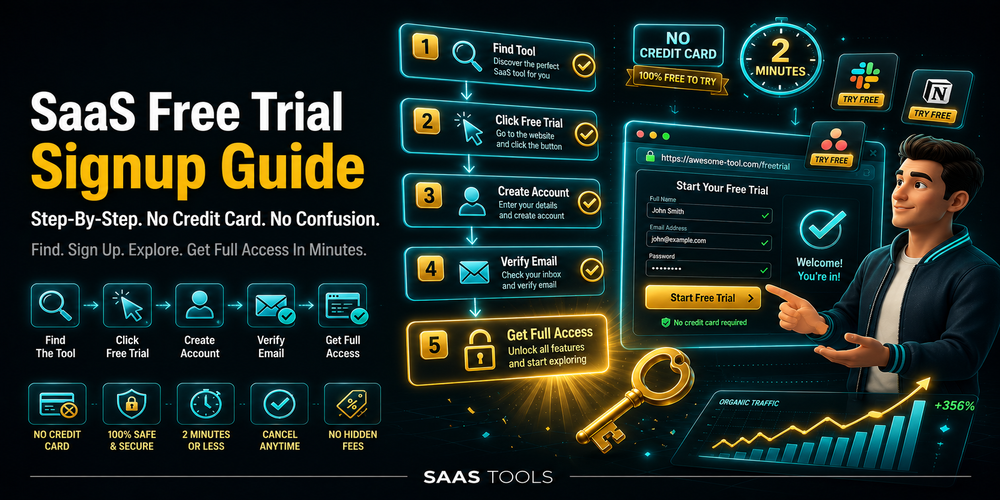
A SaaS free trial signup guide helps users test software without missing card requirements, renewal dates, cancellation rules, refund limits, usage caps, or downgrade risks.
A SaaS free trial looks harmless on the signup page. The risk starts when the trial uses a paid plan, saves a card, renews automatically, or hides cancellation inside admin settings.
This page is for users who want to test SaaS tools without accidental billing. It focuses on signup and billing risk, not a broad list of SaaS companies with free trials. Use SaaS Free Trial List for tool discovery, then return to this guide before entering payment details.
Users comparing SaaS Companies With Free Trials also need this checklist because every trial has different rules for cards, renewals, cancellations, refunds, seats, and usage limits. For broader software savings beyond trials, use Best SaaS Discounts, Free Trials, Free Tools, and Lifetime Deals.
SaaS Free Trial Signup Checklist
A safe SaaS free trial signup starts with 9 checks: card requirement, trial length, renewal date, plan name, billing cycle, cancellation path, refund policy, usage limits, and export access.
| Signup check | Why it matters | What to confirm |
| Card requirement | Card trials can renew into paid plans | No card required or clear charge date |
| Trial length | Trial windows vary by product | 7, 14, or 30 days |
| Renewal date | The first paid charge happens here | Exact date and time |
| Trial plan | Trials often use Pro or Business tiers | Plan name and price |
| Billing cycle | Annual billing can create a larger charge | Monthly or yearly selection |
| Cancellation path | Hidden billing pages waste time | Billing tab or admin console |
| Refund policy | Cancellation does not always mean money back | Refund terms before signup |
| Usage limits | Caps affect real testing | Seats, contacts, emails, AI credits |
| Export access | Trial data can become trapped | Files, contacts, projects, reports |
monday.com is a useful low risk example because its pricing page says users can start free with no credit card needed, and its FAQ lists a 14 day free trial of the Pro plan for monday work management, monday CRM, and monday dev.
A good trial signup takes 5 minutes before the first dashboard click. Save the end date. Find the billing tab. Free trials should test product value, not human memory.
Credit Card Required Vs No Credit Card Free Trials
No credit card free trials carry lower billing risk because the account cannot charge the user automatically when the trial ends.
A no card trial works best for quick testing. It suits project management tools, CRM platforms, AI apps, design tools, analytics software, and website builders. It lets users test templates, reports, and integrations without payment details.
A card required trial can still make sense for serious buyers. It often unlocks paid features such as automations, API access, AI credits, team permissions, or sales workflows.
| Trial type | Billing risk | Best use |
| No card trial | Lowest trial billing risk | Fast product testing |
| Card required trial | Higher renewal risk | Testing paid features |
| Free forever plan | Lowest long term risk | Basic ongoing use |
| Freemium plus trial | Medium risk | Comparing free and paid limits |
Asana shows why free plans and paid terms must stay separate. Its pricing page lists a Personal plan at 0 dollars, free forever, for up to 2 users, with unlimited tasks and projects. Its FAQ says users cancel a paid plan through the billing tab in the admin console.
For card required trials, save the renewal date before entering payment details. Users who prefer ongoing access without renewal risk can compare Best Free SaaS Tools instead of starting multiple short trials.
SaaS Free Trial Billing Risks To Check Before Signup
The biggest SaaS free trial billing risks are automatic renewal, annual prepayment, per seat pricing, no refund terms, usage caps, downgrade loss, and blocked exports.
Billing risk usually comes from small details. A trial can renew into a paid plan, annual billing can charge upfront, and usage caps can block real testing.
Check these 7 billing risks before signup:
- Automatic renewal into a paid subscription.
- Annual billing selected instead of monthly billing.
- Per seat pricing for members, admins, guests, or collaborators.
- No refund policy after the first charge.
- Usage caps for emails, contacts, storage, projects, AI credits, or reports.
- Downgrade loss for premium features or related data.
- Export limits for contacts, files, dashboards, tasks, or project records.
monday.com states that pricing depends on the feature plan and number of users. It also says annual payment is made in one upfront instalment, and yearly subscriptions cancelled within the last 30 days can receive a partial refund of the remaining balance.
Asana has stricter refund language. Its pricing FAQ says Asana does not offer refunds. It also says cancelled users keep paid features until the end of the subscription period, then lose access to paid features and data associated with those features.
What To Do Before Starting A Card Required Free Trial
A card required SaaS free trial needs 5 checks before signup: first charge amount, billing cycle, renewal date, cancellation route, and refund policy.
Card required trials need tighter control because the payment method is already attached.
Before adding a card, complete this routine:
- Confirm the paid plan name and first charge amount.
- Check whether monthly or annual billing is selected.
- Save the trial end date in a calendar.
- Open the cancellation page before testing.
- Read the refund policy before adding work data.
Users testing team tools need 3 extra checks:
- Count paid seats before inviting teammates.
- Check guest, viewer, and collaborator rules.
- Remove test users before renewal.
This matters for project management, CRM, email marketing, customer support, and analytics trials because team accounts often price by user count. Users testing marketing software can compare Best Email Marketing Tools For Startups before starting multiple email platform trials.
SaaS Free Trial Signup Mistakes To Avoid
The most common SaaS free trial signup mistakes are ignoring renewal dates, testing the wrong plan, choosing annual billing, adding too many users, and forgetting export access.
A trial should answer one question: does this software solve the real workflow at the right price?
Avoid these 8 mistakes:
- Starting a trial without saving the end date.
- Entering a card before checking the first paid charge.
- Leaving annual billing selected by accident.
- Testing Pro features when the budget only supports Starter.
- Inviting too many users into a per seat plan.
- Uploading important data before checking exports.
- Assuming cancellation means refund.
- Forgetting to downgrade or cancel before renewal.
A controlled trial uses 1 owner account, 1 or 2 test users, and 3 real workflows. A CRM trial can test lead capture and pipeline stages. A project management trial can test boards and permissions.
Users comparing SaaS Companies With Free Trials should shortlist tools first, then test 2 or 3 at most. Testing 9 tools at once creates login chaos. That is a browser emergency.
Best SaaS Free Trial Signup Workflow
The safest SaaS free trial signup workflow is to test 3 real use cases before adding more users, uploading important data, or keeping the paid plan active.
Use this workflow before committing to any SaaS free trial:
- Choose the tool from a focused category page.
- Check whether a card is required.
- Confirm the trial length and paid plan.
- Save the renewal date.
- Find the cancellation route.
- Test 3 real workflows within 48 hours.
- Export sample data before the trial ends.
- Keep, downgrade, or cancel 2 days before renewal.
For broader trial discovery, use SaaS Free Trial List. For general software savings, use Best SaaS Discounts, Free Trials, Free Tools, and Lifetime Deals. For free ongoing tools, use Best Free SaaS Tools.
Disclaimer: In the ever-evolving SaaS industry, platform details change frequently. This page provides a general informational overview. For the final, original and accurate information on all aspects of the software, please visit the official website directly.