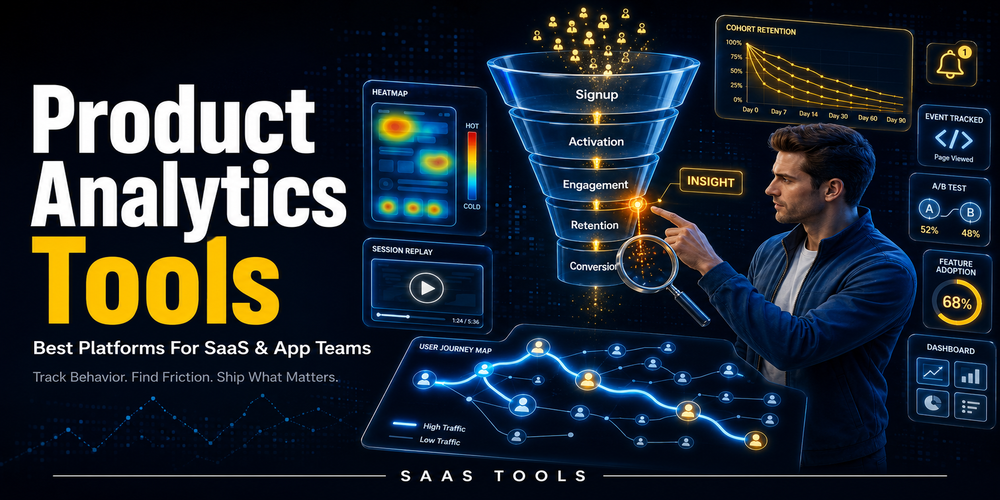
Product analytics tools help SaaS and app teams understand how users behave inside a product, where they drop off, and which actions connect with activation, retention, or revenue.
For SaaS companies, mobile apps, product led teams, and digital platforms, basic traffic numbers are not enough. A team may know how many users signed up, but still not know why users fail to activate, which feature keeps customers returning, or where the onboarding journey breaks.
This guide focuses on product analytics tools for SaaS and app teams. It compares platforms that can help with user behaviour analytics, funnels, retention, dashboards, session replay, product adoption, and customer journey analysis.
The aim is not to name one universal winner. The right product analytics software depends on your team size, data maturity, product type, technical setup, and whether you need simple usage tracking, behavioural analysis, or a wider product experience platform.
What Are Product Analytics Tools?
Product analytics tools collect and analyse user behaviour data so teams can understand how people use a product.
A normal web analytics tool can show traffic, sessions, and acquisition sources. Product analytics goes deeper into what users do after they enter the product.
That can include sign ups, onboarding steps, feature usage, retention, churn signals, conversion paths, and customer journey patterns.
For SaaS and app teams, product analytics is useful because the most important questions usually happen inside the product:
- Which users complete onboarding?
- Which features are actually used?
- Where do users drop out of a funnel?
- What actions are linked with long term retention?
- Which segments behave differently?
- Which product changes improve activation or conversion?
The best product analytics tools help teams move from guessing to evidence based product decisions.
Best Product Analytics Tools Comparison
The best product analytics tools shortlist depends on whether your team needs behavioural analytics, developer friendly tooling, product adoption features, or session replay context.
| Tool | Best fit | Why it belongs on this shortlist |
| Amplitude | Behavioural product analytics | Useful for behavioural data, customer journey analysis, cohorts, and product analytics |
| Mixpanel | Event based product analytics | Useful for funnels, retention, flows, cohorts, saved reports, and event volume based scaling |
| PostHog | Developer friendly product analytics | Useful for product analytics, session replay, feature flags, experiments, and usage based pricing |
| Pendo | Product analytics plus in app guidance | Useful for analytics, guides, NPS, session replay, and product adoption workflows |
| Heap | Autocapture based product analytics | Useful for autocapture, dashboards, visual event labelling, journeys, funnels, and retention |
| Fullstory | Product analytics with session replay context | Useful for dashboards, journey mapping, sentiment signals, retention charting, conversion funnels, and session replay |
Amplitude
Amplitude is a good fit for SaaS and app teams that want behavioural product analytics across the customer journey.
Amplitude describes product analytics as a way to understand how customers engage with digital products. Amplitude says product analytics analyses behavioural data, identifies conversion opportunities, and helps create digital experiences.
Amplitude also says product analytics lets teams track, visualise, and analyse real time engagement and behavioural data. It connects product analytics with optimising the complete customer journey.
At the time of review, Amplitude’s pricing page listed a Starter plan as Free. Starter included 10K MTUs and up to 2M events. It also included out of the box analytics and templates, Session Replay, unlimited feature flags, Web Experimentation, AI Feedback, unlimited sources and destinations, and access to community and academy.
Amplitude’s Plus plan started at $49/mo when paid annually. Plus included up to 300K MTUs or 25M events, unlimited product analytics, behavioural cohorts, feature tagging, segmentation for Web Experimentation, custom audiences and syncs, and online customer support. Growth and Enterprise were listed as Custom.
Best for
- SaaS and app teams that need behavioural analytics.
- Product teams focused on customer journey analysis.
- Teams that want product analytics with cohorts and experimentation options.
Buyer fit notes
- Amplitude uses MTUs or events in its pricing structure.
- Starter is useful when a team needs a free product analytics starting point.
- Plus is relevant when a team needs higher MTU or event capacity with behavioural cohorts and additional product analytics features.
Mixpanel
Mixpanel is a good fit for teams that want event based product analytics with funnels, retention, flows, cohorts, and event volume pricing.
Mixpanel lists product analytics features such as insights, funnels, retention, and flows reports. Its pricing page also lists behavioural cohorts, session replays, custom events, saved reports, monitoring, alerts, and data management options.
Mixpanel can work well for SaaS and app teams that already know which product events they want to track. It is especially useful when the team wants to measure how users move from one action to another, where they drop off, and whether specific behaviours connect with retention.
At the time of review, Mixpanel listed a Free plan with no credit card required. The Free plan was described as free forever and capped at 1M monthly events. It included up to 5 saved reports and 10K monthly session replays.
Mixpanel’s Growth plan started at $0. Growth included 1M monthly events free and $0.28 per 1K events after that, with volume discounts available. Growth also included unlimited reports, 20K monthly session replays free, cohorts, and more.
Enterprise was listed as a sales plan with unlimited monthly events, advanced analytics, data governance and security, premium support, and more.
Mixpanel also listed a startup offer where eligible early stage companies can receive their first year free on the Startup Plan. The listed eligibility included companies founded less than 5 years ago, up to $8M in total funding, and no previously redeemed offer.
Best for
- Teams that want event based analytics for web or app products.
- Product and data teams that need funnels, retention, flows, cohorts, and saved reports.
- Startups that want a free or usage based starting point.
Buyer fit notes
- Mixpanel uses monthly events in its Free and Growth plans.
- The Free plan is useful for teams starting with limited saved reports and session replay needs.
- Growth is relevant when event volume grows beyond the free monthly event allowance.
PostHog
PostHog is a good fit for product teams that want product analytics with developer friendly tooling, usage based pricing, and related product tools.
PostHog says product analytics tells you what is happening in your product. It also says its products are natively integrated, so users can jump from a graph to a session recording.
PostHog says it uses autocapture, which tracks every click and pageview automatically. It also says events can be defined retroactively as actions.
At the time of review, PostHog’s pricing page listed a Free plan with no credit card required. The Free plan included a generous monthly free tier, community support, 1 project, 1 year data retention, and unlimited team members.
PostHog listed usage based pricing after the free tier. For Product Analytics, PostHog listed pricing from $0.00005 per event after the monthly free tier. It also listed the first 1 million Product Analytics events as free. For Session Replay, PostHog listed the first 5K recordings as free.
For anonymous events, PostHog listed a Google Analytics style dashboard, UTM, location, referrer, page view properties, aggregate insights, and tracking anonymous users across sessions. For identified events, PostHog listed merging anonymous users with identified users, storing custom properties, and creating user specific product analytics insights.
PostHog platform packages showed Boost at $250/mo, Scale at $750/mo, and Enterprise by contact.
Best for
- Engineering led SaaS and app teams.
- Teams that want product analytics with session replay, experiments, and feature flags.
- Product teams that prefer usage based pricing after a free monthly tier.
Buyer fit notes
- PostHog uses usage based pricing after its free tier.
- Product Analytics and Session Replay have separate free usage allowances.
- Anonymous and identified events support different analytics use cases.
Pendo
Pendo is a good fit when product analytics needs to work alongside in app guides, NPS, session replay, and adoption workflows.
Pendo lists product analytics across its plan structure. It combines analytics with product experience and adoption features such as in app guides, NPS, session replay, sentiment, orchestration, listening, and data sync features across different plans.
At the time of review, Pendo’s Free plan was listed for individuals and small teams just getting started. It was listed as free with no credit card required and supported up to 500 MAUs. Pendo Free included Product Analytics, In app Guides, Net Promoter Score, and Pendo branding.
Pendo’s Base plan was listed with custom pricing for teams ready to scale with analytics and in app guidance. Core was listed with custom pricing for teams that want to see the full user journey and take quick action to improve it. Core included Product Analytics, In app Guides, and Session Replay.
Ultimate was listed with custom pricing for enterprises and product leaders coordinating adoption across systems. Ultimate included Product Analytics, In app Guides, Session Replay, Sentiment, Orchestrate, Listen, and Data Sync.
Pendo says pricing combines monthly active users and selected functionality. Pendo also says Pendo Free is a free forever version with product analytics, in app guides, Pendo branded roadmaps, Pendo branded NPS surveys, and unlimited web and mobile app keys up to 500 MAUs. Pendo says its 30 day free trial gives access to the entire platform, including analytics, in app guides, feedback, journey orchestration, and more.
Best for
- SaaS teams focused on product adoption.
- Teams that want product analytics plus in app guidance.
- Product teams that need analytics, NPS, session replay, and adoption workflows in one platform.
Buyer fit notes
- Pendo pricing is tied to MAUs and selected functionality.
- The Free plan is relevant for small teams up to the listed MAU limit.
- Base, Core, and Ultimate use custom pricing.
Heap
Heap is a good fit for teams that want autocapture based product analytics and structured product usage analysis.
Heap lists Free, Growth, Pro, and Premier plan columns. Its pricing page lists autocapture, APIs, enrichment sources, visual event labelling, custom event properties, definition history, live event data feed, shared spaces, personal spaces, and dashboards in its plan comparison.
At the time of review, Heap’s Free plan gave access to core analytics charts, unlimited enrichment sources, guides integrations, 6 months data history, and SSO. Heap Free was listed for up to 10K monthly sessions.
Heap Growth included all Free features plus an AI powered assistant, unlimited users and reports, chart customisation, CSV exports, 12 months data history, and email support.
Heap Pro included Growth features plus account analytics, engagement matrix, report alerts, Session Replay as an add on, and standard support. Heap Premier included Pro features plus data warehouse integration, behavioural targeting, Session Replay as an add on, unlimited projects, advanced user permissions, dedicated CSM, standard support, and region specific storage.
Heap’s pricing comparison also listed Funnels, Journeys, Retention, Autocapture, APIs, Enrichment Sources, Visual Event Labeling, Custom Event Properties, Definition History, Live Event Data Feed, Shared Spaces, Personal Spaces, and Dashboards.
Best for
- Teams that want autocapture based analytics.
- SaaS teams that want dashboards, funnels, journeys, and retention in the same analytics comparison.
- Product teams that need plan level choices around data history, sessions, projects, and support.
Buyer fit notes
- Heap’s Free plan is listed with a monthly session limit.
- Data history differs by plan.
- Session Replay is listed as an add on for Pro and Premier.
Fullstory
Fullstory is a good fit when product analytics needs behavioural context through dashboards, journey maps, retention, funnels, and session replay.
Fullstory’s product analytics page says users can analyse user behaviour and identify immediately actionable data. Fullstory says users can click dashboard metrics to see what happened with Session Replay.
Fullstory also says its data engine maps a digital property with no tagging required. It describes behavioural data insights for data, product, and engineering teams.
Fullstory lists product analytics capabilities including Dashboards, Journey mapping, Sentiment signals, Retention charting, and Conversion Funnels.
Best for
- Teams that need session replay context beside analytics.
- Product and engineering teams that need behavioural data insights.
- Teams that want dashboards, journey mapping, sentiment signals, retention charting, and conversion funnels.
Buyer fit notes
- Fullstory connects dashboard level metrics with Session Replay context.
- Fullstory is relevant when qualitative session context matters beside product analytics.
- The product analytics page reviewed for this article focused on platform capabilities rather than a simple public pricing table.
Which Product Analytics Tool Should You Choose?
Choose the product analytics tool that matches your product stage, data maturity, and main decision problem.
| If your main problem is | Shortlist first |
| Behavioural analytics across the customer journey | Amplitude |
| Event based funnels, retention, flows, and cohorts | Mixpanel |
| Product analytics with developer friendly tooling and usage based pricing | PostHog |
| Product analytics with in app guides, NPS, Session Replay, and adoption workflows | Pendo |
| Autocapture, funnels, journeys, retention, and dashboards | Heap |
| Session replay context with dashboards, journey maps, sentiment signals, retention charting, and conversion funnels | Fullstory |
Do not choose a product analytics platform only because it has a free plan. Free access is useful, but the wrong tool can still waste time if it does not match your workflow.
A small startup may need free product analytics with simple event tracking and funnels. A growing SaaS team may need cohorts, retention analysis, product usage dashboards, and collaboration features. A mature product organisation may need analytics connected with experimentation, data governance, warehouse workflows, or adoption campaigns.
Buyer Fit Notes
The right product analytics software should match the way your team collects data, analyses behaviour, and acts on product insights.
Use the tool’s pricing model to match the way your product collects data. Amplitude uses MTUs or events in its pricing structure. Mixpanel uses monthly events in its Free and Growth plans. PostHog uses usage based pricing after the free tier. Pendo pricing combines MAUs and selected functionality. Heap pricing uses monthly sessions and plan level features.
The feature model also matters. Amplitude is centred on behavioural product analytics and customer journey analysis. Mixpanel is centred on event based funnels, retention, flows, and cohorts. PostHog connects product analytics with related tools such as session replay, feature flags, and experiments. Pendo combines analytics with in app guides, NPS, session replay, and adoption workflows. Heap focuses on autocapture and analytics capabilities such as funnels, journeys, retention, and dashboards. Fullstory connects product analytics with session replay and behavioural context.
FAQ’s
Editorial Note
This article is written with care, but some details may change or contain unintentional mistakes. If you find anything outdated or incorrect, please contact us so we can review and correct it.