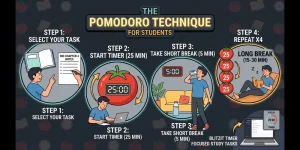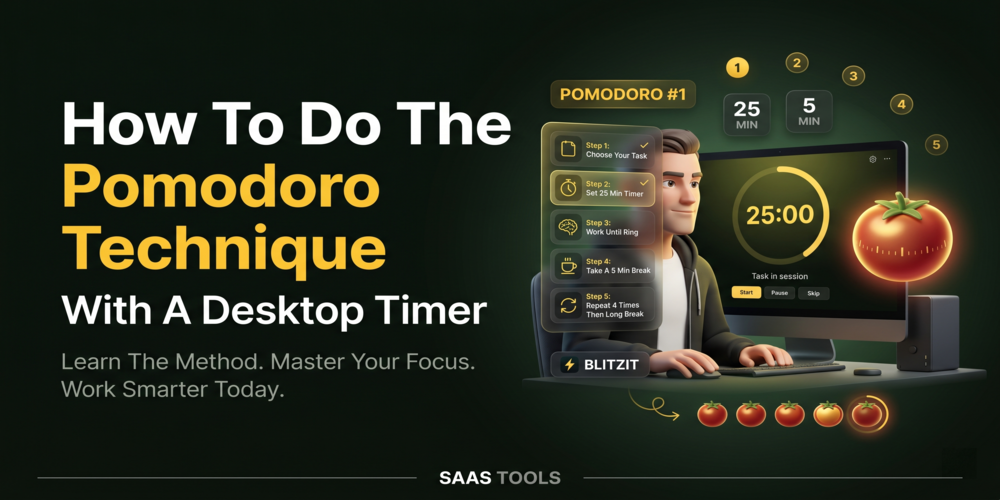
Learning how to do Pomodoro technique starts with choosing one task, working in focused sessions, and taking planned breaks between work blocks.
The Pomodoro Technique is a time management method that divides work into focused intervals separated by short breaks. It is commonly used for studying, writing, office work, coding, research, and other tasks that require concentration.
This guide explains how to use the Pomodoro Technique with a desktop timer and how to create a simple workflow you can repeat every day.
If your goal is planning an entire work day rather than learning the technique itself, read our guide on how to plan your day at work with a Pomodoro timer.
For users looking for a desktop timer and task management app, you can also review our Blitzit discount coupon page. Blitzit is relevant because its official site describes it as a simple to do list and timer app with Focus mode, Pomodoros, task scheduling, notes, lists, task time tracking, and reports.
What’s The Pomodoro Technique?
The Pomodoro Technique is a time management method that combines focused work periods with scheduled breaks.
The method was created to help people concentrate on one task at a time instead of constantly switching between activities.
A basic Pomodoro workflow includes:
- Choose one task.
- Start a focus session.
- Work only on that task.
- Take a short break.
- Repeat the process.
The objective is not to work longer. The objective is to maintain attention on a single task for a defined period.
1. Choose One Task Before Starting
The first step in how to do the Pomodoro technique is selecting one specific task.
Avoid starting a timer without knowing what you are working on. Define the task first.
Examples include:
- Writing a report.
- Studying a chapter.
- Reviewing a spreadsheet.
- Replying to important emails.
- Completing a design task.
A clear task creates a clear focus session.
2. Start A Desktop Timer
To use the Pomodoro Technique effectively, start a timer before beginning work.
The timer creates a fixed work period and helps prevent constant clock checking.
Many people use a dedicated desktop timer because it reduces the temptation to switch tabs or open distracting websites.
Blitzit includes Pomodoro timers, Focus mode, task scheduling, and task tracking features that can support this workflow.
3. Focus On One Task Only
A Pomodoro session works best when all attention stays on the selected task.
During the session:
- Avoid checking social media.
- Avoid unnecessary emails.
- Avoid switching between unrelated tasks.
- Avoid opening new projects.
The goal is deep focus rather than multitasking.
When interruptions appear, make a note and return to the active task.
4. Take A Short Break
Breaks are part of the Pomodoro Technique, not a reward after it.
Once the focus session ends, step away briefly before beginning the next session.
Useful break activities include:
- Standing up.
- Stretching.
- Drinking water.
- Walking briefly.
- Reviewing the next task.
Short breaks help separate focus sessions and prepare you for the next work block.
5. Repeat The Process
The Pomodoro Technique becomes more effective when repeated consistently.
Most tasks require multiple focus sessions rather than a single timer.
For example:
- Session one: research.
- Session two: drafting.
- Session three: editing.
- Session four: final review.
Breaking larger projects into smaller sessions makes them easier to manage.
6. Track Time Spent On Tasks
Tracking completed focus sessions helps you understand where your time goes.
After several days, you can identify:
- Tasks that take longer than expected.
- Frequent interruptions.
- Common distractions.
- Repeating work patterns.
This information can improve future planning and task estimates.
Blitzit’s lists task time tracking and reporting features that support reviewing completed work sessions.
Common Pomodoro Mistakes
Most Pomodoro problems come from task switching rather than the timer itself.
Avoid these mistakes:
- Starting without a clear task.
- Checking messages during focus sessions.
- Skipping breaks.
- Working on multiple tasks simultaneously.
- Ignoring session reviews.
A simple workflow usually performs better than a complicated productivity system.
When To Use A Desktop Pomodoro Timer
A desktop timer is useful when you want fewer distractions and a clearer focus workflow.
It can be useful for:
- Office work.
- Studying.
- Writing.
- Software development.
- Research.
- Marketing tasks.
- Administrative work.
The timer provides structure while keeping attention on the current task.
When To Use Blitzit
Blitzit is relevant if you want a desktop app that combines task management and Pomodoro timers.
According to its official site, Blitzit includes Focus mode, Pomodoros, task scheduling, notes, lists, task time tracking, alerts, and reports.
It fits users who want task planning and focus sessions inside a single application rather than using separate tools.
You can review our Blitzit discount coupon page if you want to compare the current offer with your workflow.
FAQ’s
Editorial Disclaimer
This article is written with care, but some details may change or contain unintentional mistakes. If you find anything outdated or incorrect, please contact us so we can review and correct it.