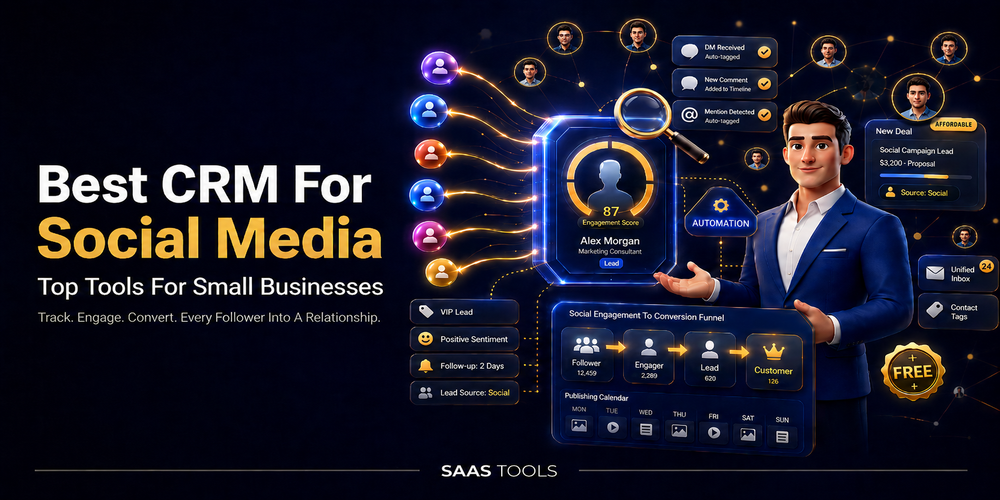
The best CRM for social media helps small businesses turn social conversations into contacts, leads, customer context, and follow up tasks.
Social media is no longer only a place to publish posts. For many small businesses, it is where prospects ask questions, customers raise issues, and leads show buying intent before they ever fill out a form.
This guide focuses on CRM value, not just post scheduling. It also helps you compare whether you need a CRM first workflow, a social media reporting dashboard, a social media analytics dashboard, or a publishing tool with CRM handoff. For simple post planning, read our guide to free social media scheduler tools. For broader publishing workflows, read our guide to social media automation tools.
What Is A CRM For Social Media?
A CRM for social media connects social interactions with customer records, lead management, conversation history, and reporting.
A normal social scheduler helps you plan and publish posts. A social CRM helps you understand who is talking to your business, what they asked before, whether they are already a lead or contact, and what the next follow up should be.
For a small business, the buying question is simple: are your social channels creating real customer work?
If you only need to publish posts on time, a scheduler may be enough. If comments, messages, mentions, and enquiries need follow up, then CRM depth matters.
A social media CRM can help with:
- Saving useful social conversations.
- Creating or enriching leads and contacts.
- Giving teams customer context before they reply.
- Connecting social activity to reports or revenue signals.
- Reducing missed messages across inboxes and channels.
Best CRM For Social Media Comparison Table
The right shortlist depends on whether you need CRM connected marketing, social lead capture, customer conversation history, or sales pipeline handoff.
| Tool | Best fit | Why it belongs on this shortlist |
| HubSpot | CRM connected marketing and social campaigns | Connects social publishing, monitoring, CRM context, and ROI tracking inside Marketing Hub |
| Zoho Social with Zoho CRM | Social lead generation | Helps turn social engagement into leads and contacts inside Zoho CRM |
| Sprout Social | Social CRM and customer conversation history | Shows conversation history, contact profile views, internal notes, and shared customer context |
| Agorapulse | Social inbox, reporting, and CRM handoff | Combines publishing, inbox management, reporting, and CRM integrations |
| Nimble | Relationship CRM with social enrichment | Matches social profiles to contacts and enriches records with business and social details |
| Pipedrive | Sales CRM for social lead handoff | Helps organise social generated interactions inside a sales pipeline |
HubSpot
HubSpot is a good fit when a small business wants social media management connected with CRM, marketing, and reporting.
HubSpot’s social media management software is available in Marketing Hub. HubSpot says users can publish posts, monitor keywords, connect every interaction to the CRM, power contextual conversations, and track ROI.
At the time of review, HubSpot’s Marketing Hub pricing page listed a Free plan at $0/mo for up to 2 users with no credit card required. It also listed Starter from $7/mo/seat, Professional from $800/mo, and Enterprise from $3,600/mo.
For social media limits, HubSpot listed up to 50 connected accounts, 10,000 posts per month, and post scheduling up to 3 years in advance on one listed tier. Another listed tier showed up to 300 connected accounts, 10,000 posts per month, post scheduling up to 3 years in advance, and up to 3 competitor streams.
HubSpot also says its free tools include lite versions of selected paid tools, allow 1,000 contacts, and have no time limit. HubSpot also mentions discount pricing for eligible startups and nonprofits through HubSpot for Startups and HubSpot for Nonprofits.
Best for
- Businesses already using HubSpot CRM.
- Teams that want CRM, social media, marketing, and reporting in one platform.
- Small businesses that want to start with free CRM tools before upgrading.
Check before paying
- Confirm which Marketing Hub tier includes the social media features you need.
- Check contact limits, seat costs, and advanced feature requirements.
- Confirm startup or nonprofit discount eligibility directly with HubSpot before applying.
Zoho Social With Zoho CRM
Zoho Social with Zoho CRM is a good fit when a small business wants social engagement to become CRM leads and contacts.
Zoho Social’s CRM integration page says users can engage with prospects and generate leads from social media. Zoho also says users can enrich leads and contacts in Zoho CRM with social data.
Zoho describes every social interaction as an opportunity for lead generation. Examples include someone following the business, engaging with content, mentioning the brand, or sending a social media message. Zoho also says users can create new leads from social channels such as X timeline, likes, keywords, messages, followers, Facebook likes, and posts.
Zoho also lets users define social activities, including likes, mentions, reposts, and comments, as lead qualifiers. In Zoho Social, people who engage with a brand on social media are defined as Connections, and they can be added as leads or contacts in Zoho CRM.
At the time of review, Zoho Social annual pricing listed a Free plan at US$0/month, Standard at US$10/month, Professional at US$30/month, and Premium at US$40/month, billed annually. Zoho also listed a 15 day free trial with no credit card required.
Zoho CRM pricing listed Standard at US$14/user/month, Professional at US$23/user/month, Enterprise at US$40/user/month, and Ultimate at US$52/user/month. Zoho CRM Free Edition was listed as free forever for 3 users.
Best for
- Small businesses already using Zoho products.
- Teams that want social engagement to become CRM leads.
- Businesses that want social publishing, inbox, monitoring, analytics, and CRM integration in one ecosystem.
Check before paying
- Zoho Social and Zoho CRM are separate products, so check both pricing pages.
- Confirm which Zoho Social plan includes the CRM features you need.
- Check local taxes and regional pricing before purchase.
Sprout Social
Sprout Social is a good fit when teams need social CRM context, conversation history, and shared customer visibility.
Sprout Social’s social CRM page says its tools help sales, support, and marketing teams build and manage customer relationships. Sprout says its social CRM tools provide contextual information to help teams resolve support issues, nurture prospective leads, and deliver a better brand experience.
Sprout highlights complete conversation history. It says once a Twitter profile is connected, Sprout remembers conversations and surfaces that history throughout the app. It also says users get immediate access to conversation history and contact details when replying.
For team use, Sprout’s Contact Profile Views let users view and add custom contact information, internal notes, and full conversation history. Sprout also says shared contact views give the team access to conversation history, contact information, and internal notes. Sprout mentions integrations with Zendesk and HubSpot for social and support teams.
At the time of review, Sprout’s annual pricing listed Essentials at $79 per seat/month, Standard at $199 per seat/month, Professional at $299 per seat/month, and Advanced at $399 per seat/month. Monthly pricing listed Essentials at $99 per seat/month, Standard at $249 per seat/month, Professional at $399 per seat/month, and Advanced at $499 per seat/month. Sprout also offered a 30 day free trial with no credit card required.
Best for
- Teams that reply to many social messages.
- Businesses that need conversation history before responding.
- Customer support teams that want social context and CRM visibility.
Check before paying
- Sprout is priced per seat, so check total cost for your team size.
- Confirm which plan includes the reporting, workflow, and integration features you need.
- If your social message volume is low, compare it against lighter tools before committing.
Agorapulse
Agorapulse is a good fit when a business wants social publishing, one inbox, reporting, and CRM handoff.
Agorapulse says it helps users save time, stay organised, manage social media, and measure business impact from social campaigns in one platform. It also says users can track and respond to social media interactions in one centralised inbox.
At the time of review, Agorapulse offered free access for 30 days with no credit card required. Annual pricing listed Standard at US $79 per user/month, Professional at US $119 per user/month, and Advanced at US $149 per user/month. Monthly pricing listed Standard at US $99 per user/month, Professional at US $149 per user/month, and Advanced at US $199 per user/month.
The Standard plan included unlimited post scheduling, managing all messages and organic comments from one inbox, and basic reports. Professional added ad comment replies, post and inbox assignments, and team performance reports. Advanced added labels, saved replies, automated moderation rules, bulk actions, advanced reports, ads reports, ROI analysis, and competitor benchmarking.
Agorapulse’s Inbox User Profile tracks follower engagement history and gives context to social conversations. Agorapulse also says it can integrate with Salesforce or HubSpot to sync leads from the social inbox to the CRM. Its integrations page says users can create leads and contacts in Salesforce and HubSpot directly from the Agorapulse inbox.
Best for
- Social media managers who want publishing, inbox, and reports in one place.
- Teams that need to assign messages and manage replies.
- Businesses that want to pass social conversations into HubSpot or Salesforce.
Check before paying
- Agorapulse is not positioned as a full native CRM, so check CRM integration needs carefully.
- Advanced inbox and reporting features depend on plan level.
- Per user pricing should be checked before adding a larger team.
Nimble
Nimble is a good fit when a small business needs relationship CRM, contact enrichment, and social profile context.
Nimble says it helps users nurture relationships, accelerate engagement, and turn connections into business growth from one AI driven platform. Its relationship management page says Nimble CRM unites contacts, calendars, and emails, and extends CRM to Gmail, Outlook, or LinkedIn.
Nimble helps match social profiles to contacts and companies, then enriches them with business and social details. It also says it delivers details such as who people are, where they work, company employee count, year founded, revenue, industry, CEO details, location, social profiles, contact info, and more.
At the time of review, Nimble annual pricing was listed at $24.90 per seat/month, billed annually. Monthly pricing was listed at $29.90 per seat/month. The pricing page included AI powered email creation tools, 25,000 contact records, 2 GB/seat storage, Microsoft 365 and Google Workspace integration, Nimble Prospector, and a 14 day trial.
Nimble also says it gives small teams lead capture web forms, contact management, email marketing, and pipeline automation in one platform.
Best for
- Solopreneurs and small teams focused on relationships.
- Teams that want social profile matching and contact enrichment.
- Businesses that use Gmail, Outlook, Microsoft 365, Google Workspace, or LinkedIn in daily sales work.
Check before paying
- Nimble is better positioned for relationship management than full social media publishing.
- Check contact, storage, enrichment, web form, and email marketing limits before purchase.
- Confirm whether you need a separate social scheduler or inbox tool alongside Nimble.
Pipedrive
Pipedrive is a good fit when a business wants social engagement to feed a sales CRM and pipeline process.
Pipedrive’s social CRM guide says social CRM tools combine CRM systems with social media data to help businesses track, manage, and act on customer interactions across platforms. It also says social CRM tools connect social interactions in one place so teams can turn engagement into sales opportunities.
Pipedrive defines social CRM as traditional CRM tools combined with social media insights, enabling teams to manage customer interactions across platforms. It says a social media CRM connects interactions in one place, helping teams understand who customers are and what they are looking for.
For Pipedrive itself, the vendor describes it as an all in one CRM system that helps growing businesses manage, track, and convert leads. It also says the cloud based CRM organises customer interactions into a clear sales pipeline, including those generated from social media channels.
At the time of review, Pipedrive annual pricing listed Lite at US$14 per seat/month, Growth at US$24 per seat/month, Premium at US$49 per seat/month, and Ultimate at US$69 per seat/month. Monthly pricing listed Lite at US$19 per seat/month, Growth at US$34 per seat/month, Premium at US$64 per seat/month, and Ultimate at US$89 per seat/month. Pipedrive also offered a free 14 day trial with no credit card required.
Best for
- Sales teams that want social interest to move into a pipeline.
- Businesses that already use sales stages, deals, and follow up tasks.
- Teams that need CRM first lead management rather than a full social posting tool.
Check before paying
- Pipedrive is not a full native social media management platform.
- Social workflows may rely on integrations or connected tools.
- Add ons and higher plans can affect total cost.
Which CRM For Social Media Should You Choose?
Choose the tool that matches the business job your social channels are already creating.
| If your main problem is | Shortlist first |
| Connecting social campaigns with CRM and marketing reporting | HubSpot |
| Generating CRM leads from social engagement | Zoho Social with Zoho CRM |
| Seeing customer history before replying | Sprout Social |
| Managing one social inbox with CRM handoff | Agorapulse |
| Enriching contacts with social and business details | Nimble |
| Moving social interest into a sales pipeline | Pipedrive |
Do not choose only by the lowest price. A cheaper tool can become expensive if it does not solve the correct workflow.
A scheduler helps with publishing, but it does not automatically create a clean CRM process. A sales CRM can manage opportunities well, but it may not replace a full social media publishing and inbox tool.
The safest buying logic is:
- Pick HubSpot if your team already wants CRM, marketing automation, and social reporting in one environment.
- Pick Zoho Social with Zoho CRM if social engagement needs to become leads and contacts.
- Pick Sprout Social if the team needs conversation history and shared social customer context.
- Pick Agorapulse if the main pain is social inbox management, reporting, and CRM handoff.
- Pick Nimble if relationship management and contact enrichment matter more than native social publishing.
- Pick Pipedrive if social engagement should feed a structured sales pipeline.
What To Check Before Paying
Before paying, check whether the tool stores social context, connects to CRM records, and fits your pricing model.
Use this checklist before choosing:
- Does the tool create or enrich contacts from social interactions?
- Does it show conversation history before the team replies?
- Does it support assignments, notes, or internal collaboration?
- Does it connect with the CRM your sales team already uses?
- Does it include reporting that matches your business goal?
- Does the price depend on seats, contacts, brands, profiles, or storage?
- Does the trial give enough access to test your real workflow?
For SaaS savings, check vendor pricing pages before purchase. HubSpot, Zoho Social, Sprout Social, Agorapulse, Nimble, and Pipedrive all showed trial, free access, or pricing details during review, but those details can change. Do not rely on old screenshots or coupon roundups for final buying decisions.
Editorial Disclaimer
This article is written with care, but some details may change or contain unintentional mistakes. If you find anything outdated or incorrect, please contact us so we can review and correct it.