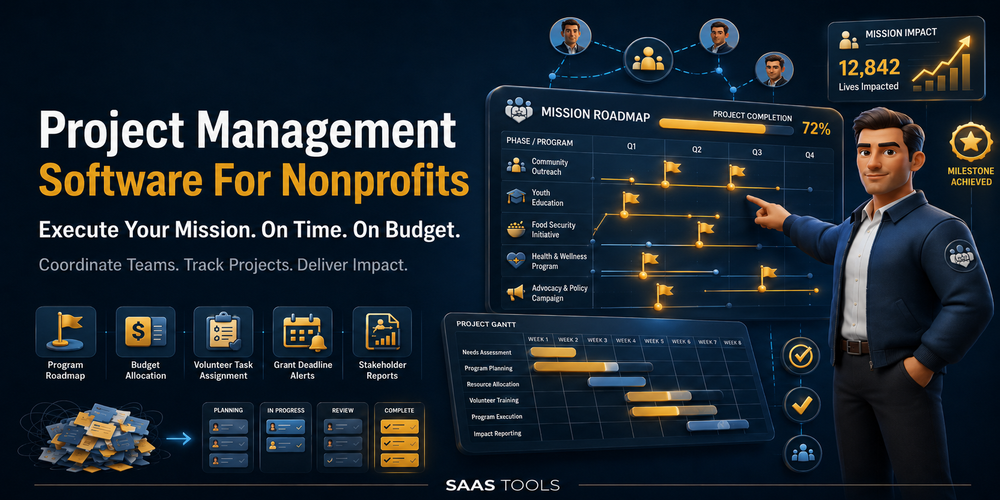
The right project management software helps nonprofits run grant cycles, coordinate volunteers, and manage board work without burning out the two people holding everything together.
Nonprofits do not have a workflow problem. They have a too-much-to-do-with-too-few-people problem. Managing grant deadlines, volunteer rosters, donor campaigns, and board meetings inside a shared spreadsheet is the kind of thing that ages you faster than it should.
The good news is that most of the best tools in this category offer verified nonprofit discounts or free plans that make them genuinely affordable, not just theoretically so. This page covers what each tool costs after your discount, which workflows each one handles best, and how to claim what your organisation is entitled to.
If you are comparing several discounted tools at once, start with our guide to nonprofit software discounts before choosing a project management platform.
Why Nonprofits Need Specialist Project Management Tools
Nonprofits need tools that handle volunteer coordination, grant tracking, board tasks, and donor workflows without requiring a full-time IT person to set them up.
Generic project management tools are built for product teams running software sprints. Nonprofit work looks different. You have rotating volunteers who need simple onboarding, grant cycles tied to hard funder deadlines, board members who log in once a month, and programme leads juggling three campaigns at once.
The tools that work best for nonprofits tend to share a few things. A free plan or verified nonprofit pricing that does not require a lengthy procurement process. Multiple views such as Kanban boards, calendars, and Gantt charts so different team members can work in the way that suits them. Simple enough for volunteers who are not paid to learn software. Powerful enough for reporting outputs back to funders and boards.
Organisations that implement structured project management frameworks achieve success rates 2.5 times higher than those without one, and 79 percent of nonprofit leaders cite rising service demands and staff capacity as key challenges, with technology adoption seen as the primary response. That is a compelling case for picking the right tool and committing to it.
Best Project Management Software for Nonprofits at a Glance
| Tool | Free Plan | Nonprofit Discount | Best For |
| Asana | Yes, up to 10 users | 50% off Starter or Advanced | Grant tracking, task management |
| Monday.com | No | 10 free seats + 70% off extras | Volunteer and donor management |
| ClickUp | Yes, unlimited users | Discounted paid plans via sales | All-in-one nonprofit operations |
| Notion | Yes, personal | 50% off Plus plan (US 501c3) | Docs, wikis, board resources |
| Freedcamp | Yes, unlimited projects | Free premium for orgs under 30 staff | Very small teams, zero budget |
Asana for Nonprofits
Asana offers a 50 percent discount on its Starter or Advanced annual plan to qualifying nonprofits with 501(c)(3) designation, public libraries with valid nonprofit status, and organisations with equivalent international designations.
To claim the discount, Asana has partnered with Goodstack to handle verification. Once your organisation is confirmed, the 50 percent discount is applied when you upgrade from the free trial.
For smaller teams, the free Personal plan covers a lot of ground before you spend anything. It supports up to 10 users and includes unlimited tasks, projects, messages, and access to list, board, and calendar views.
Where Asana earns its place for nonprofits is in grant and programme tracking. You can map out a full grant cycle as a project, assign tasks to staff, set dependencies between deliverables, and use the timeline view to spot scheduling clashes before they become problems. Board meeting prep, volunteer onboarding checklists, and recurring event workflows are all straightforward to build using templates.
For fundraising dinners, volunteer days, and community events, compare event management software for nonprofits alongside your project management shortlist.
Hospitals and hospital auxiliaries are not eligible for the nonprofit programme. Organisations that do not align with the anti-discrimination policies of Asana’s third-party reviewers may also be excluded.
Apply directly at asana.com/industry/nonprofit
Monday.com for Nonprofits
Monday.com’s Nonprofit Programme offers 10 first seats for free on the Pro plan, a 70 percent discount per seat from the 11th seat onward, and a 33 percent discount per user on the Enterprise plan.
That is one of the most generous nonprofit offers in the project management category. Ten full Pro seats with no catch means a small team pays nothing, with automations, integrations, and multiple project views included from day one.
Eligible organisations can use Monday.com to manage grant and donation pipelines, track donor interactions, support volunteer management, and make more informed decisions through reporting dashboards. Verified nonprofits also get access to exclusive training sessions with the Monday.com nonprofit team through TechSoup.
To be eligible, your organisation must be recognised as a charity, nonprofit, nongovernmental, or social change organisation in your country and must provide legal documentation of that status. In the US, this means a valid 501(c)(3) designation.
If donor records are more important than task boards, compare nonprofit CRM software with free plans and discounts before choosing a project management tool.
Project tools manage campaign tasks, but email marketing software for nonprofits handles newsletters, donor appeals, and supporter updates.
The application takes two to three business days to process. Additional seats are available in lots of five once approved.
Apply directly at monday.com/w/nonprofits
ClickUp for Nonprofits
ClickUp’s Free Forever plan includes unlimited tasks, unlimited members, basic dashboards, calendar views, and 100 monthly automations, which makes it a solid starting point for small nonprofits exploring project management tools for the first time.
For teams that need more, qualifying nonprofits can apply for a discounted paid plan. ClickUp does not publish its nonprofit rates publicly, so you need to contact their sales team and mention your 501(c)(3) status to apply.
The platform suits nonprofits that want everything centralised. ClickUp supports volunteer management with public calendar views and custom intake forms, donor relationship tracking with custom fields for giving history, grant application workflows with deadlines and collaborative document editing, and impact reporting by pulling metrics from custom fields into dashboards.
ClickUp’s feature depth can feel like a lot on first login. Give your team a week with it before deciding it is too complex. Most nonprofit teams settle into a workflow that sticks.
Notion for Nonprofits
Notion supports civil society organisations worldwide with 50 percent off its Plus plan through a verified nonprofit application process.
Only US-based nonprofits are currently eligible for this discount, and your organisation needs to be a certified 501(c)(3) to qualify. International organisations should check notion.com/nonprofits directly for current eligibility.
Notion works differently from the other tools on this list. It is less a task manager and more a connected workspace. That makes it excellent for storing board meeting notes, building volunteer handbooks, tracking donor records, and managing internal knowledge bases. It is not the strongest choice if your primary need is deadline-driven project tracking with Gantt views and task dependencies.
Notion also runs a Pro Bono Consulting Programme where dedicated Notion employees help eligible nonprofits streamline operations, enhance fundraising processes, and build their workspace, providing up to four hours of direct support. That is a genuinely useful extra for organisations setting up from scratch.
Pair Notion with Asana or ClickUp for operational project management and you get a clean separation between what the board needs to read and what the team needs to action.
Freedcamp for Small Nonprofits
Freedcamp has a special programme for nonprofits and students. If your organisation has fewer than 30 employees, Freedcamp will grant access to its premium plan for free.
Even on the basic plan, the tool lets you organise tasks by priority, delegate assignments, set up recurring tasks, and use Gantt charts for project scheduling.
It is not the most polished tool on this list. But for a very small nonprofit that needs free project management without any procurement hoops, it delivers. Unlimited projects and tasks on the free tier means you will not hit a ceiling on day one.
Small teams with no budget can also compare free project management tools for startups, although nonprofit eligibility and grant workflows are different.
Matching the Tool to the Workflow
Volunteer coordination, grant tracking, and board management each call for different features, and no single tool is the perfect fit for all three at once.
For volunteer coordination, Monday.com and ClickUp lead the way. Monday.com makes it easy to build a volunteer intake board where each application becomes a card, tasks get assigned, shift dates land on the calendar, and a welcome message fires automatically when someone is confirmed. ClickUp adds time tracking, which matters if your funders want reported volunteer hours as part of your grant output.
If your organisation runs member renewals, chapters, or community access, membership management software for nonprofits may fit better than a general project management system.
For grant tracking, Asana and Monday.com are the strongest options. A grant cycle is essentially a project with a hard deadline and a chain of dependent tasks. Asana’s timeline view maps this out clearly. You can build a template for each grant type, duplicate it for each new funder, and watch dependencies shift automatically when a deadline moves.
Smartsheet is worth considering specifically for grant tracking, budgeting, and stakeholder reporting, given its spreadsheet-based structure that finance and operations leads tend to find familiar. Smartsheet offers a 30-day free trial, with paid plans starting at $7 per user per month.
For board and governance work, Notion wins. Board members do not need daily project management access. They need a reliable place to find meeting agendas, board papers, minutes, policies, and organisational documents. Notion handles this better than any task-focused tool on this list, and guest access means board members can view what they need without taking up a paid seat.
For a broader software shortlist, visit Best SaaS Discounts, Free Trials, Free Tools, and Lifetime Deals to compare free plans, trials, discounts, and lifetime offers.
Disclaimer: In the ever-evolving SaaS industry, platform details change frequently. This page provides a general informational overview. For the final, original, and most accurate information on all aspects of the software, please visit the official website directly.