What Is Lunacal?
Lunacal is scheduling software that supports calendar sync, automated reminders, buffer times, round robin and collective booking, paid appointments, and multi session packages. The booking page can include profile content, videos, testimonials, and case details in addition to available time slots.
Who It Is For
| User Type | Notes |
|---|---|
| Consultants and coaches | Official pages describe the tool as suited to consultants running discovery calls and paid sessions, and to coaches running multi-session packages |
| Service businesses and clinics | The official site lists dedicated booking pages for salons, spas, clinics, and similar service businesses |
| Teams and agencies | Round robin scheduling, collective scheduling, and team-specific availability are documented on the official pricing page |
| Educators and class instructors | Official pages describe class scheduling with recurring sessions and capacity handling |
Key Features
- Calendar sync: Two-way real-time sync with Google, Outlook, and Apple calendars.
- Booking page customisation: Branded scheduling pages with room for profile information, videos, testimonials, and files.
- Paid bookings: Payments collected via Stripe or PayPal, with no commission charged on bookings.
- Multi-session packages: Clients can purchase multiple sessions or classes upfront and schedule them over time.
- Discount coupons: Limited-time or limited-use coupons can be created for promotions and referrals, as a feature within the product itself.
- Team scheduling: Round robin scheduling and collective scheduling for teams.
- Automated reminders: Automated SMS and email reminders for meetings.
- Buffers and rules: Working hours, buffers, holidays, and custom rules per day.
- Webhooks: Listed as a feature on the Teams plan.
- Localisation: Booking pages support multiple languages, including English, Spanish, French, German, and Portuguese.
- Custom domains and branding: Available depending on plan.
Pros and Cons
Strengths (based on G2 reviews):
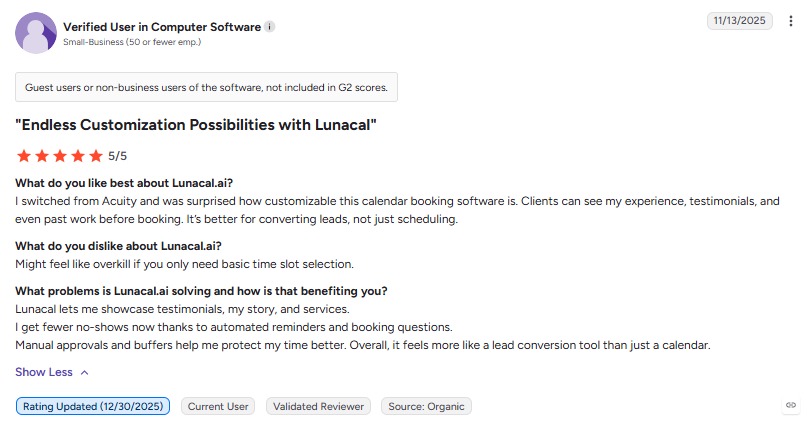
- Reviewers describe the booking page as more customisable than tools such as Acuity, with room for testimonials and past work.
- Users report reliable calendar sync and reduced double-booking across time zones.
- Combined payment and scheduling in one flow was cited as reducing no-shows for paid sessions.
Criticisms (based on G2 reviews):
- Some reviewers note that advanced configurations, particularly for teams, take time to fully understand.
- Documentation was described as lacking detail in a few areas for users wanting deeper customisation.
- Setting up team routing was described as needing some fine-tuning on first use.
Pricing
Per-user monthly figures shown below, as listed on the official pricing page. Annual billing is stated to save 10 percent.
| Plan | Monthly Price | Key Inclusions |
|---|---|---|
| Standard | $9/user/month | Unlimited calendars and services, online meeting tool connection, payments via Stripe and PayPal, text and email reminders, booking page customisation |
| Teams | $15/user/month | Everything in Standard, team scheduling, multi-session packages, round robin scheduling, webhooks |
| Enterprise | $25/user/month | AI voice agent, account manager, complete branding, premium support, personalised onboarding and training |
A 7-day free trial is stated on the official pricing page, alongside a stated cancel-anytime policy.
Reviews
Positive themes (G2):
- Reviewers cite the booking page’s ability to show credibility and context before someone books.
- Calendar sync and buffer controls were described as reliable for reducing double-booking.
Criticisms (G2):
- Some reviewers noted a lack of a “duplicate event type” option, requiring manual rebuilding of similar event types.
- Advanced team setup and routing were described as requiring extra time to configure correctly.
Lunacal is listed at 4.9 out of 5 based on 354 reviews on G2.
Alternatives
The following tools appear consistently in comparison content published on the official Lunacal site as alternatives or comparable scheduling tools:
- Calendly: described as suited to fast, simple one-to-one meeting links.
- Cal.com: described as an open-source, API-first scheduling platform.
- Acuity Scheduling: described as suited to service businesses needing appointment settings and client management.
- Setmore: described as a lower-cost option for small service teams.
FAQ’s
Editorial Note:
This article is written with care, but some details may change or contain unintentional mistakes. If you find anything outdated or incorrect, please contact us so we can review and correct it.