
AI coding editors have become vital to boosting productivity in software development. According to Synthesia, 92% of U.S.-based developers in large companies use AI tools, which revolutionize workflows with improved collaboration and efficiency. According to Lucintel, the global AI code editor market is projected to grow at a CAGR of 22.3% from 2024 to 2030, underscored by their critical role in helping businesses stay competitive.
If you are looking for a suitable tool, here are the best AI code editors for your review.
Quick Overview
| Name | Features | Pricing |
| Cursor | Tab function, AI Chat, Instant apply suggested code from chat to your codebase | Free plan available. Pricing starts with $20/month in Pro |
| SnippetHub | AI Test Storm, AI Lens, Snippet Management | No Free plan. The pricing starts with $7/month in Beginner |
| Codemate | AI Assistant, Instant code debugging, ChatGPT integration with Chat, | No Free plan. The pricing starts with $10/month in Pro Plan |
| Kodezi AI | Automated Code Debugging, Advanced Code Optimization, Agile Testing | Offers Free plan. The pricing starts with $6.99/month |
| Codeium | Windsurf Editor, Supercomplete, AI chat | Offers Free plan. The pricing starts with $6.99/month in Pro plan |
How to Evaluate and Pick the Best AI Code Editor?
Selecting the right AI code generator is crucial as it ensures smooth and error-free deployments and boosts your productivity. Here are some factors to consider:
- Language and framework support: Ensure that the AI code editor supports Python, Java, C++, and similar popular languages and that the tool is compatible with your preferred framework
- IDE integration: To improve workflow, verify that the code editor integrates well with Visual Studio Code, Eclipse, or similar well-known IDEs.
- Error detection: The most crucial aspect of any AI code editor is its ability to detect errors. So, before purchasing any specific editor, ensure it detects all potential errors and vulnerabilities for your codebase security.
Best AI Code Editors
Here are the best AI code editors to speed up your productivity extremely fast:
1. Cursor AI Code Editor

Cursor AI, built on Visual Studio Code (VSCode), is an innovative code editor that leverages the power of artificial intelligence to enhance the coding experience with real-time code suggestions, intelligent debugging, and generating new code snippets.
It hosts features like context-aware assistance and customizable workflows that streamline the coding process and improve productivity.
Using the Cursor AI code editor is easy and hassle-free. Here’s a basic step-wise procedure for working with the tool.
- You must download and install the Cursor AI code editor from its official website.
- Then, you must set up and configure keyboard shortcuts and preferred language. You must also enable codebase context to let the tool’s AI understand your codebase. This is very important before starting coding.
- Once done with setup and configuration, you can start typing code. As you continue to type the code, notice that the Cursor’s powerful AI predicts and completes your function. For example, if you are writing a function to sort an array, Cursor AI can complete it with the sorted function. To add the predicted code, press the Tab button on your keyboard.
- You can open the Chat feature whenever you are stuck in a situation. To enable the function, go to Cursor Settings > Features > Chat and activate the Chat. To open it, you need to press Ctrl + L on Windows or Command + L on Mac to open the chat function.
- When the Chat dialogue box appears, you can use it for multiple tasks. You can copy and paste any code section and ask what it means. Or you can ask, “Is my code error-free?” the AI Chat assistant will analyze your codebase and give you feedback.
- You can also generate new code or edit existing code. Press Ctrl + K on Windows or Command K on Mac to do this. For example, you can refactor a function to use async/await.
- Once you have completed all the editing, you can apply your code by clicking the play button or accepting all the changes.
Key Features
One of Cursor AI’s advanced features is the Cursor Agent, which helps run terminal commands, generate semantic code, and perform similar complex tasks using the keyboard shortcuts Windows + period (.) or Command + period (.). It also supports EchoAPI, which simplifies REST API development.
Another feature is using natural language prompts to edit code, which allows developers to interact more intuitively with their codebase.
Pricing
Cursor AI offers a Free plan, but it has a limited two-week trial period and 2000 limited completions. For the $20/month starting price, you will get unlimited completions with additional perks.
Following are the details of the pricing:
| Monthly Plan | ||
| Free | Pro | Business |
| $0/month | $20/month | $40/month |
| Pro two-week trial | Everything in Hobby, plus | Everything in Pro, plus |
| 2000 completions | Unlimited completions | Enforce privacy mode org-wide |
| 50 slow premium requests | 500 fast premium requests per month | Centralized team billing |
| Unlimited slow premium requests | Admin dashboard with usage stats | |
| 10 o1-mini uses per day | SAML/OIDC SSO | |
| Yearly Plan | ||
| Free | Pro | Business |
| $0/year | $240/year | $480/year |
| Pro two-week trial | Everything in Hobby, plus | Everything in Pro, plus |
| 2000 completions | Unlimited completions | Enforce privacy mode org-wide |
| 50 slow premium requests | 500 fast premium requests per month | Centralized team billing |
| Unlimited slow premium requests | Admin dashboard with usage stats | |
| 10 o1-mini uses per day | SAML/OIDC SSO | |
Other Tools
Cursor AI offers Enterprise solutions that cater to the needs of enterprise teams. It hosts features such as AI-powered code suggestions, real-time collaboration tools, and proactive error detection. It also features SAML 2.0 and OIDC SSO integration for secure authentication and detailed usage analytics to measure developer productivity.
What Customers Say
2. SnippetHub AI Code Editor
SnippetHub is a comprehensive platform where developers share and explore reusable code segments, called “snippets,” across multiple programming languages. Similar to a centralized repository, developers can locate and implement code solutions for common tasks, saving them time and effort.
Here is how to work on SnippetHub:
- First, you need to go to the Open VS Code, then go to Extensions, and search for SnippetHub.
- Install SnippetHub and click the SnippetHub icon in the sidebar to access the features.
- Now select a piece of code and click on AI Test Storm. SnippetHub will generate tests.
- Then, you can highlight the code, click AI Lens, and enter instructions like “Optimize this function.
- If you want to ask questions, you can highlight the code, open AI Chat, and ask, “How can I improve this loop?
- Now, you need to type a snippet name in the editor. Then, IntelliSense will provide suggestions for insertion.
- Finally, you can ask AI Chat to review your code for syntax errors.
Key Features
One of its key features is AI Test Storm, which uses top AI models to generate unit tests and test cases directly in the code editor. This reduces the time spent on writing tests. The next feature is AI Lens, with which developers can collaborate with AI by defining custom instructions for code processing.
Furthermore, SnippetHub includes AI Chat to interact with AI models directly within VS Code for real-time assistance. Through IntelliSense, this AI code editor uses code snippet management to define snippet triggers.
Pricing
The Beginner plan offers limited perks such as 300 personal snippets, limited 5 AI Lenses, etc. But the features add up as you buy the higher pricing plan:
| Monthly Plan | ||
| Beginner | Smart | Advanced |
| $7/month | $12/month | $30/month |
| Unlimited Mixtral 8x7B tokens | All from Beginner+ | All from Smart+ |
| 5 AI Lenses | AI Test Storm | Unlimited AI Lenses |
| 128k GPT-4o Mini AI Model | 20 AI Lenses | 100k GPT-4o AI Credits |
| Up to $7 of GPT-4o Mini AI Credits | 128k GPT-4o AI Model | 700k GPT-4o Mini AI Credits |
| Use own OpenAI API key | 50k GPT-4o AI Credits | Unlimited personal snippets |
| 300 personal snippets | 400k GPT-4o Mini AI Credits | 10 workspaces |
| Editors Integration | 500 personal snippets | 200 invites per workspace |
| AI Test Storm | 3 workspaces | Unlimited workspace snippets |
| GPT-4o AI Model | 5 invites per workspace | |
| Less AI endpoints rate limit | 500 workspace snippets | |
| Workspaces | Snippet trigger prefixes | |
| Snippet trigger prefixes | Snippets auto-sync across devices | |
| Snippets auto-sync across devices | ||
| Yearly Plan | ||
| Beginner | Smart | Advanced |
| $60/year | $108/year | $300/year |
| Unlimited Mixtral 8x7B tokens | All from Beginner+ | All from Smart+ |
| 5 AI Lenses | AI Test Storm | Unlimited AI Lenses |
| 128k GPT-4o Mini AI Model | 20 AI Lenses | 100k GPT-4o AI Credits |
| Up to $7 of GPT-4o Mini AI Credits | 128k GPT-4o AI Model | 700k GPT-4o Mini AI Credits |
| Use own OpenAI API key | 50k GPT-4o AI Credits | Unlimited personal snippets |
| 300 personal snippets | 400k GPT-4o Mini AI Credits | 10 workspaces |
| Editors Integration | 500 personal snippets | 200 invites per workspace |
| AI Test Storm | 3 workspaces | Unlimited workspace snippets |
| GPT-4o AI Model | 5 invites per workspace | |
| Less AI endpoints rate limit | 500 workspace snippets | |
| Workspaces | Snippet trigger prefixes | |
| Snippet trigger prefixes | Snippets auto-sync across devices | |
| Snippets auto-sync across devices | ||
Other Tools
SnippetHub is working on new products and features. The platform has mentioned two features that will be released soon. They are:
- Installation: Users will be able to install SnippetHub Lens AI in VS Code
- Features in VS Code: Users will get a detailed brief guide on how to use SnippetHub Lens AI
3. CodeMate AI Code Editor
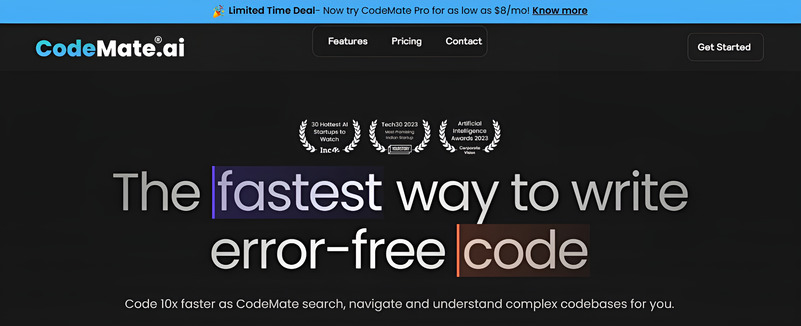
CodeMate AI functions as a “pair programmer,” which allows developers to write, debug, and maintain their code more efficiently. It provides real-time suggestions and corrections according to the developer’s specific codebase and context, ensuring that tasks are optimized for quality and performance.
Here are the steps to use CodeMate AI Code Editor in bullet points:
- First, open VS Code, click on the Extensions button, search for “CodeMate AI,” and install it.
- Next, you need to sign in using your preferred method.
- Once installation and sign-in are completed, go to the tool, right-click on your code, and select “Review Code” to get a report on potential issues.
- You can use the “Optimize Code” option to receive suggestions for your code’s readability and speed.
- If the tool highlights any errors, it will fix typos or syntax errors with context-based autocorrection.
- Also, you can use CodeMate to generate test cases to ensure its functionality.
- Another great feature is that CodeMate can generate docstrings and comments to explain your code.
- If you need additional assistance, you can use the chat interface to ask questions from CodeMate about your coding issues.
Key Features
CodeMate AI Code Editor can execute CRUD (Create, Read, Update, Delete) operations or add documentation to your codebase with simple commands and save time.
CodeMate’s “Debug Code” analyzes your code against multiple test cases and provides detailed fixes with a briefing on potential errors. This ensures that your code produces the desired output without missing critical issues. CodeMate refactors your codebase to eliminate error-prone sections and makes it production-ready.
Pricing
CodeMate does not offer a Free plan. Here’s a detailed breakdown of the monthly, yearly, and one-time pricing plan.
| Monthly Plan | ||
| Pro Plan | Teams Plan | Organsation |
| $10/month | $37/month | Contact Sales |
| Debug, Review and Refactor Code | Everything in Pro Plus, | Dedicated account manager |
| Unlimited internet searches | Collaborative knowledge base sharing | On-premises deployment |
| CodeMate assistant access | Bring your own key | Custom fine-tuned models |
| Search and chat with documentations and codebasses | Advanced ML models | Priority support |
| Generate unit/functional test cases | Seat management | |
| Automated PR reviews | ||
| Yearly Plan | ||
| Pro Plan | Teams Plan | Organsation |
| $96/month | $396/month | Contact Sales |
| Debug, Review and Refactor Code | Everything in Pro Plus, | Dedicated account manager |
| Unlimited internet searches | Collaborative knowledge base sharing | On-premises deployment |
| CodeMate assistant access | Bring your own key | Custom fine-tuned models |
| Search and chat with documentations and codebasses | Advanced ML models | Priority support |
| Generate unit/functional test cases | Seat management | |
| Automated PR reviews | ||
| One-Time Plan | ||||
| Solo Developers | Professional Developer | Teams and Agencies | ||
| Tier Plan 1 | Tier Plan 2 | Tier Plan 3 | Tier Plan 4 | Tier Plan 5 |
| $59/one-time | $169/one-time | $299/one-time | $579/one-time | $999/one-time |
| 1 seat | 1 seat(s) | 5 seat(s) | 15 seat(s) | Unlimited seat(s) |
| 60,000 total tokens per month | 175,000 total tokens per month | 750,000 total tokens per month (150k tokens per user) | 3,750,000 total tokens per month (250k tokens per user) | 20,000,000 total tokens per month (1 M tokens per user) |
| 5 total knowledge bases | 10 total knowledge bases | 20 total knowledge bases | 40 total knowledge bases | Unlimited total knowledge bases |
| 1 GB total storage space | 3 GB total storage space | 6 GB total storage space | 15 GB total storage space | 35 GB total storage space |
| 250 internet searches per month | 500 internet searches per month | Unlimited internet searches per month | Unlimited internet searches per month | Unlimited internet searches per month |
| Github integration(s) | Codebase + GitHub + URL integration(s) | Codebase + GitHub + URL integration(s) | All supported integration(s) | All supported integration(s) |
| Bring your own API key | Bring your own API key | Bring your own API key | ||
| Collaborative knowledge base sharing | Collaborative knowledge base sharing | Collaborative knowledge base sharing | ||
| Seat management | Seat management | Seat management | ||
What Customers Say

4. Kodezi AI Code Editor
Kodezi acts as an intelligent “autocorrect” for programmers using the power of AI to automatically identify and fix code errors, optimize code efficiency, and generate high-quality documentation. The AI code editor offers perks such as converting between languages and generating complex code based on natural language instructions.
Here is a brief overview of how to use the Kodezi AI code editor:
- Install Kodezi Extension: Install the Kodezi extension in Visual Studio Code to access its features directly within your IDE.
- Generate Code: Use Kodezi to generate a Python function that prints “Hello, World!” by providing a natural language prompt like “Write a Python function to print ‘Hello, World!'”.
- Debug and Fix Code: Open your code in the IDE with the Kodezi extension installed. Kodezi will use a linter to detect syntax errors and highlight them. Click on each highlighted error to view detailed explanations and fixes. Correct each issue line by line or word by word.
- Optimize Code: Log in to Kodezi using Google Authentication, Select a specific block of code you want to optimize, Right-click on the code block and use the context menu to select the “Optimize” option, or click the “Optimize” button if available, Kodezi will apply optimizations like loop unrolling, dead code elimination, and register allocation to reduce execution time and memory usage.
- Convert Code: Open your code in the IDE with Kodezi installed, Select the code block you want to convert, and Use the Kodezi feature for code conversion, which analyzes your code and builds a translation model to convert it into the desired language.
- Generate Documentation: Open your code in the IDE with Kodezi installed; click on the “Generate Documentation” button or use the context menu to select this option. Kodezi will automatically add line-by-line comments and provide a code summary at the beginning of each section,
- Use Kodezi Chatbot: For example, you can type a query like “How do I implement a binary search algorithm in Python?” in the Kodezi chatbot to receive code snippets and explanations.
- Integrate with Existing CI/CD Pipelines: Set up Kodezi CLI in your CI/CD pipeline, Configure Kodezi to run automated code reviews and optimizations before each push, and Use Kodezi to automatically generate and update API documentation.
Key Features
Kodezi instantly identifies and fixes codebase issues and provides detailed explanations and insights into what went wrong and how it was resolved. This involves debugging functions that use AI to understand your code’s context and fix it accordingly, with Python, Java, JavaScript, C++, C#, etc.
Pricing
Following is the detailed breakdown of the pricing plans:
| Monthly Plan | ||
| Kodezi Code Free | Kodezi Code Pro | Kodezi CLI |
| $0/month | $6.99/month | $30/month |
| CLI (Swagger YAML & More) | CLI (Swagger YAML & More) | OpenAPI YAML Generation |
| Normal ML Models | Advanced ML Models | Hosted Swagger UI |
| Programming Language Support | Programming Language Support | Repository Optimization |
| Generate Code | KodeziChat | Code Base Security Review |
| Detailed Bug Explainations | Beta Feature Access | Code Base Standardization |
| Code AI Features | Generate Code Pro | Repository Documentation |
| Live Support | Live Code Debugging | |
| Yearly Plan | ||
| Kodezi Code Free | Kodezi Code Pro | Kodezi CLI |
| $0/year | $71.88/year | $340/single person use |
| CLI (Swagger YAML & More) | CLI (Swagger YAML & More) | OpenAPI YAML Generation |
| Normal ML Models | Advanced ML Models | Hosted Swagger UI |
| Programming Language Support | Programming Language Support | Repository Optimization |
| Generate Code | KodeziChat | Code Base Security Review |
| Detailed Bug Explainations | Beta Feature Access | Code Base Standardization |
| Code AI Features | Generate Code Pro | Repository Documentation |
| Live Support | Live Code Debugging | |
Other Tools
Kodezi AI code editor also offers extensive features for professional developers. It has a separate dedicated page for them. Kodezi’s developer features include Debugging with Explanations, Translating code languages, and Generating code documentation, which maximizes their code editing capabilities and ensures the codes are error-free before deployment.
5. Codeium AI Code Editor
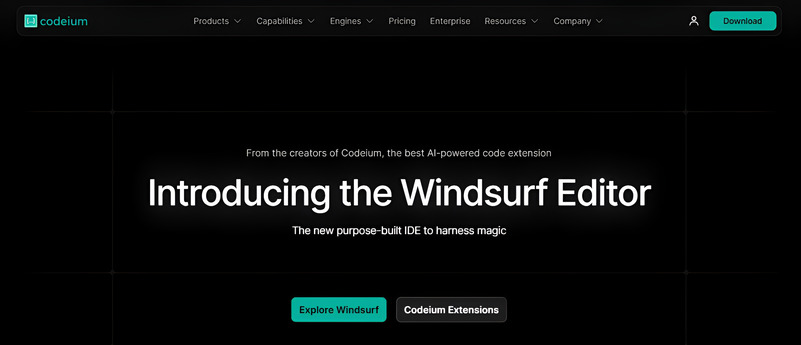
Codeium is an AI-driven coding assistant that integrates into code editors to offer features such as AI-powered code completion, in-editor chat assistance, and the ability to generate code snippets. This enhances developer productivity across various integrated development environments.
Here is a detailed breakdown of how to use Codeium AI code editor:
- Install Codeium Extension: Open Visual Studio Code, go to the Extensions Marketplace and search for “Codeium” to install it.
- Authorize and Create Account: Click on the authorization prompt in Visual Studio Code to log in or create a Codeium account.
- Generate Code: To generate the necessary files, type a prompt like “Write code for a basic calculator using HTML, CSS, and JavaScript”.”
- Refactor Code: Describe what improvements you want, and Codeium will refactor the code accordingly
- Translate Code: Open your Python script in the editor; use Codeium’s translation feature by selecting the Python code and specifying that you want it translated into JavaScript. Codeium will generate equivalent JavaScript code based on the Python script.
- Debug Code: Highlight the problematic code section in your editor; use Codeium’s debugging feature to describe the issue you’re encountering (e.g., unexpected output, compilation errors); Codeium will analyze the code and provide suggestions or fixes for the identified problems.
Key Features
Codeium offers AI-powered autocomplete, which provides context-aware code completion suggestions to speed up coding. The AI-powered chat feature helps developers interact with the AI for tasks like generating boilerplate code, refactoring, bug fixes, and documentation generation.
Codeium integrates with popular IDEs such as IntelliJ, PyCharm, Android Studio, and Visual Studio Code to ensure compatibility across various development environments.
Pricing
Following is the detailed breakdown of the pricing plans.
| For Individuals | ||
| Free | Pro | Pro Ultimate |
| $0/month | $15/month | $60/month |
| Free one-time trial gift on download: 50 premium User Prompt and 200 premium Flow Action credits | 500 premium model User Prompt credits | Infinite premium model User Prompt credits |
| 5 premium model User Prompt credits | 1,500 premium model Flow Action credits | 3,000 premium model Flow Action credits |
| 5 premium model Flow Action credits | Can purchase more premium model | Can purchase more premium model |
| Cannot purchase more premium model credits | Priority unlimited access to Cascade Base Model | Priority unlimited access to Cascade Base Model |
| Access to Cascade Base model | ||
| For Organizations | ||
| Teams | Teams Ultimate | Enterprise SaaS |
| Up to 200 users | Up to 200 users | Unlimited users |
| $35/month | $90/month | Contact Sales |
| 300 premium model User Prompt credits per user | Infinite premium model User Prompt credits per user | Contact Sales and get customized features |
| 1,200 premium model Flow Action credits per user | 2,500 premium model Flow Action credits per user | |
| Credits can be pooled across users | Credits can be pooled across users | |
| Can purchase more premium model | Can purchase more premium model | |
| Priority unlimited access to Cascade Base Model | Priority unlimited access to Cascade Base Model | |
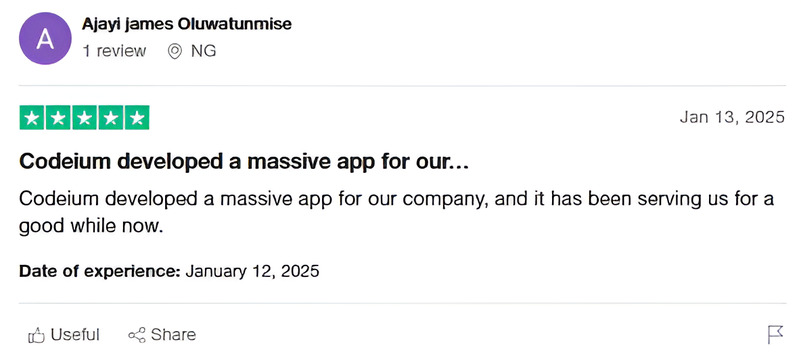
What Customers Say
Wrapping It Up
AI coding editors emerged as a transformative force in software development. The widespread adoption of these tools highlights their essential role in revolutionizing workflows. Consider these best AI code editors if you want to deploy error-free codes faster.